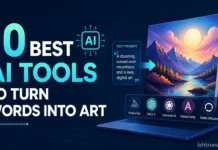







If you want to turn words into art, you’re looking for something called a text-to-image AI generator.
In 2026, your best bet is still ChatGPT or Google’s Gemini, especially if you want to play around for free. If you’re after those truly eye-catching, painterly visuals, Midjourney is widely known for stylized, painterly images.
Before you use a generated image for business, check the terms of your plan. Free plans can be restrictive, especially when it comes to commercial use.
Here you’ll find ten top tools, ranked and compared. For each, there’s a quick take on the free deal, the price when the vendor’s page showed one, who it’s great for, and where it lets you down.
Further down, you’ll see advice on writing prompts, a bit on image ownership, and a fast way to pick the right tool for you.
About the Rankings: There are no side-by-side tests here, only a comparison of what it’s like for beginners trying to type a prompt and get a usable picture, judged from what each company says on its site as of October 2026. That means it’s an editorial call, and your own style preferences will make a difference.
Table of Contents
What Are Text-to-Image AI Tools?
These are tools that take whatever you type as a prompt and spin it into a brand-new image. The software has seen tons of images before and tries to draw what it thinks you describe. You can change your prompt or tweak what you get until you hit the look you want.
Which Tool Fits Your Needs?
| If you want… | Start with | Why |
| A free AI art generator that needs no setup | ChatGPT or Gemini | Both include image generation on their free plans, with limits |
| The most distinctive artistic style | Midjourney | Paid only, from $10 a month |
| Pictures to use in commercial work with clear terms | A paid Leonardo, Ideogram, or Recraft plan | Each states ownership and commercial rights on its pricing page |
| Art that drops straight into a design | Canva | Generation sits inside the design editor |
| Full control and no subscription | Stable Diffusion | Free for organizations under $1M annual revenue, but you run it yourself |
How Were These Tools Ranked?
We looked at: how easily beginners get a good image, whether you can use it for free, how clearly prices and rights are spelled out, and what kinds of projects it can handle.
| Either apply the rule or drop it. ChatGPT (no prices shown) ranks #1, and Canva (“price not checked”) ranks #7, while Midjourney (clear prices) ranks #4. Explain that developer-only tools (FLUX, Stable Diffusion) rank last because the ranking measures beginner ease |
A few limits: Prices and credits change all the time, so treat these numbers as a snapshot from October 2026.
Not every vendor showed actual numbers; if a site was missing info, you’ll see that noted. Comments on “signature” looks (like Midjourney) are based on general reputation, not tests.
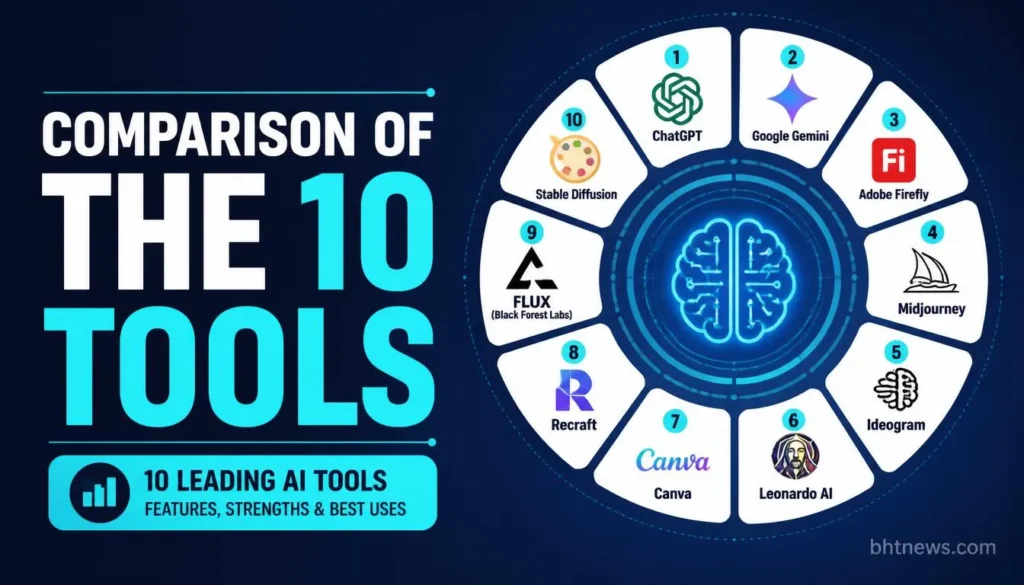
| Tool | Free access | Paid plans (as listed) | Best for |
| 1. ChatGPT | Limited image creation | Go, Plus and Pro tiers; dollar amounts not shown on the page that loaded | Beginners who want to edit by conversation |
| 2. Google Gemini | Image generation and editing in the app | AI Plus $4.99, AI Pro $19.99, Ultra from $99.99 | Cheapest paid upgrade |
| 3. Adobe Firefly | Free daily generations | From $9.99 with 2,000 credits | Adobe app users and design work |
| 4. Midjourney | No free trial mentioned on its plans page | $10, $30, $60 and $120 a month | Stylized, artistic images |
| 5. Ideogram | Weekly credits on sign-in, amount varies | Plus $20, Pro $60 | Posters and images containing text |
| 6. Leonardo AI | 150 Fast Tokens a day | $12, $30 and $60 a month | Games, characters and concept art |
| 7. Canva | Free tool, limits not described | Pro plans, price not checked | Social posts and presentations |
| 8. Recraft | Free plan, public images, no commercial license | Basic, Pro, Teams; prices not shown on the page that loaded | Brand and design assets |
| 9. FLUX (Black Forest Labs) | No free tier mentioned | Pay as you go, example $0.048 an image | Developers and apps |
| 10. Stable Diffusion | Free to download and run | No fee under $1M annual revenue | Technical users who want control |
The Top 10 AI Tools for Turning Text Into Art
1. ChatGPT
The easiest starting point: just tell ChatGPT what you want, in words you’d use with a person. “Make the sky darker,” for example, works. ChatGPT’s built-in image generator.
On the official pricing page, the free plan has limited image creation, Go gives a bit more, Plus offers more complex and accurate image creation, and Pro describes image creation as unlimited and faster, subject to abuse guardrails. With models like Nano Banana and Luma Ray
There’s no exact dollar amount shown, so visit chatgpt.com/pricing to check. The main catch? OpenAI doesn’t say how many free images you get per day or month.
2. Google Gemini
If you’ve got a Google account, Gemini’s free tier gives you a lot, and the paid upgrade is the cheapest listed here. The free Gemini app lets you create and edit images, while Google Flow includes some access to Nano Banana Pro.
AI Plus (the upgrade) is $4.99/month and doubles your limit; AI Pro is $19.99 and quadruples it; Ultra is $99.99. Limits are “compute-based” and reset every five hours, not by image count.
3. Adobe Firefly
If you use Adobe’s creative apps or want art for work projects, Firefly fits right in. Free daily images are included (with models like Nano Banana and Luma Ray3.14).
Standard plan: $9.99/month for 2,000 credits; Pro: $19.99 for 4,000; Pro Plus: $34.97 (regularly $49.99) for 10,000; Premium: $139.91 (reg. $199.99) for 50,000.
Discounts on Pro Plus and Premium end Oct 21. The confusing part? Adobe doesn’t say exactly how many images a credit buys.
4. Midjourney
For that polished, unique style, most people mention Midjourney. There’s no free trial. Monthly plans: $10 (3.3 GPU hours), $30 (15 hours), $60 (30 hours), $120 (60 hours). Want unlimited, “relaxed” generations?
You’ll need Standard, Pro, or Mega. Only Pro and Mega let you create privately (Stealth Mode). They use Discord for prompts, so check how they’re handling images these days on their site.
5. Ideogram
This is your pick if you need text to appear correctly, like posters or signs. Weekly free credits are given to eligible accounts (sign in via Google, Apple, or Microsoft), but the count varies.
Plus: 20/month(15 if annual), 2,400 “priority credits.” Pro: 60/month(42 annual), 7,500 credits. Plus and Pro keep your images private, and they say you can use your creations commercially. By default, though, images are published publicly on free plans.
6. Leonardo AI
Leonardo works great if you love making lots of variations, like game assets or character concepts. The free plan gives you 150 Fast Tokens daily, but images are public, and Leonardo owns rights, though you get a non-exclusive, royalty-free commercial license.
Paid plans (Essential: $12/month, Premium: $30, Ultimate: $60) let you keep all rights and hide your work. (But again, they don’t say how many images a token gets you.)
7. Canva
Canva is perfect if you’re whipping up images for social posts, slides, flyers because you create directly inside the app you’re likely already using.
You can use Canva’s AI art in commercial projects, but you don’t get exclusive rights, and they can’t guarantee there won’t be conflicts with existing images.
Free vs. Pro limits? They don’t spell those out clearly, so check the latest details before launching a big project.
8. Recraft
Recraft is aimed at branded assets and design work. On the free plan, they keep ownership, and the images go public in a gallery you can’t use commercially.
Paid plans (Basic, Pro, Teams) give you ownership and privacy, with credits refilling each month and nothing rolling over.
The actual prices weren’t on their site when checked, but Prices not shown on the page we read.
9. FLUX by Black Forest Labs
FLUX is for techies and developers integrating image generation into their own apps. It’s pay-as-you-go: $0.048 per image (but unclear which model this covers).
No free tier mentioned. If you’re not a coder, you’ll probably meet FLUX inside other apps (Adobe lists FLUX.2 Pro, for example).
10. Stable Diffusion
If you want maximum control and don’t mind tech setups, try Stable Diffusion. You’ll need your own hardware (or cloud setup).
The community license lets anyone with under $1 million/year revenue use it for commercial work and own the images if you stick to their terms. Earning more than that? You’ll need the enterprise license.
What Do You Give Up With Free Plans?
With most free options, you pay with privacy or commercial rights or by hitting low limits. Leonardo free outputs are public, Ideogram free images go in a public gallery, and Recraft’s free art is for personal use only. Check OpenAI’s and Google’s terms and say what they say about ownership, privacy, and commercial use, or delete the sentence.
For example: Krea gives you 100 free units a day and says paid plans get a commercial license, but their FAQ is vague about what free allows, so don’t use it for business without checking. That’s why Krea’s not ranked here.
As a rule, free AI art is for drafts or personal projects. Go paid if you want privacy, volume, or rock-solid commercial rules.
Who Owns AI-Generated Pictures? Can You Sell Them?
Disclosure: This isn’t legal advice. Always check current terms and talk to an expert if you’re planning to use AI art in a business or legal setting, because rules change and differ by country.
You have to consider both the tool’s terms and copyright law. Paid plans often give you full rights and privacy; free ones usually don’t.
In the U.S., as of January 2025, the Copyright Office said that typing prompts alone aren’t enough for copyright. If you make major edits or original arrangements with the output, those human-made parts can be protected.
In short: a one-prompt image probably won’t get copyright, but your edits and layouts might. Other countries have their own rules.
Also, avoid prompts that copy living artists or known brands, since lookalikes can still land you in trouble.
How to Write a Good Prompt
Start clear and simple: What do you want a picture of? What style? What composition: wide, tall, close-up? Any colors, lighting you want? Here’s the difference: Weak: “A lighthouse.”
Much better: “A watercolor painting of a white lighthouse on a cliff at dawn, soft pink sky, loose brushstrokes, wide composition with space at the top for a title.”
A few extra tips:
- Say what the image is for (like “a blog header” or “phone wallpaper”).
- List the aspect ratio you want, if possible (like 16:9 or 1:1).
- Mention what *not* to include (“no text” or “no people”).
- Keep notes of prompts that work.
With free beginner tools, short and specific is better than long laundry lists of adjectives.
How to Pick the Right Tool: Four Quick Questions
- Will you pay? If not, try ChatGPT, Gemini, or free Firefly/Leonardo.
- Need actual text inside the picture? Go with Ideogram, then try ChatGPT as a backup.
- Do you need privacy or legal/commercial use? Paid plans from Leonardo, Ideogram, and Recraft spell this out.
- Comfortable with technical setups? Check out Stable Diffusion or FLUX. If not, stick to the app-based platforms.
Tools Considered but Not Ranked
Krea didn’t make the list because it’s not clear if commercial use is allowed on the free plan. Microsoft Designer and Bing Image Creator weren’t ranked due to unavailable pricing info.
NightCafe, Craiyon, Picsart, and Starry AI show up in other reviews, but weren’t re-checked for this guide. Don’t assume a missing name is a bad tool; it’s just a fast-moving space.
Frequently Asked Questions
What’s the best free AI art generator?
For anyone just getting started, ChatGPT and Google Gemini are the easiest free-to-try options. Adobe Firefly and Leonardo also offer daily allowances. Each has limits (and sometimes gives up privacy or rights), so try the same prompt in a couple of platforms and see what you like.
How many pictures can I make for free?
There’s no uniform answer. Leonardo’s free plan says 150 Fast Tokens/day; Krea, 100 compute units; Ideogram gives weekly credits that change; Gemini and ChatGPT describe limits but don’t give exact numbers. Always check the vendor’s own page before you start.
Can I use AI art for my business?
Sometimes, but only if your tool and plan allow it. Recraft’s free plan doesn’t allow commercial use. Leonardo’s free plan is non-exclusive; its paid plans give you full rights. Always read the terms for your specific plan before using AI art for clients or products.
Can I copyright an image I made with a text prompt?
In the U.S., probably not just from typing a prompt. If you edit and originally arrange images, those edits might be protected. But rules change, and this isn’t legal advice.
Why doesn’t the picture match my prompt?
If you’re vague, the model fills in the blanks. Be specific about subject, style, and layout, and try changing one thing at a time. Use “no text,” “no people,” etc., if you need to control what you *don’t* want.
Is there a free trial for Midjourney?
As of the latest info, no just paid plans starting at $10/month. Check their site for updates; if you just want to experiment, try a free tool first.
Conclusion
The best AI art tool is the one that works for your needs. Newcomers get the most mileage from ChatGPT or Gemini’s free access. Designers gravitate toward Firefly or Canva.
If you crave a unique, signature look, Midjourney’s paid plans get you that. For selling or commercial work, always read the terms and know where you stand.
There’s not a huge gap between free and paid in terms of image quality. The real divide is in privacy, rights, and how much you can create.
Take this as information, not legal or financial advice. Every tool changes, so always double-check prices, limits, and licenses on the company’s own site.
Next step: Pick two tools from the table above, type the same prompt into both, and compare the results before spending a dime.
Frequently Asked Questions
What’s the best free AI art generator?
For anyone just getting started, ChatGPT and Google Gemini are the easiest free-to-try options. Adobe Firefly and Leonardo also offer daily allowances. Each has limits (and sometimes gives up privacy or rights), so try the same prompt on a couple of platforms and see what you like.
How many pictures can I make for free?
There’s no uniform answer. Leonardo’s free plan says 150 Fast Tokens/day; Krea, 100 compute units; Ideogram gives weekly credits that change; Gemini and ChatGPT describe limits but don’t give exact numbers. Always check the vendor’s own page before you start.
Can I use AI art for my business?
Sometimes, but only if your tool and plan allow it. Recraft’s free plan doesn’t allow commercial use. Leonardo’s free plan is non-exclusive; its paid plans give you full rights. Always read the terms for your specific plan before using AI art for clients or products.
Can I copyright an image I made with a text prompt?
In the U.S., probably not just from typing a prompt. If you edit and originally arrange images, those edits might be protected. But rules change, and this isn’t legal advice.
Why doesn’t the picture match my prompt?
If you’re vague, the model fills in the blanks. Be specific about subject, style, and layout, and try changing one thing at a time. Use “no text,” “no people,” etc., if you need to control what you *don’t* want.
Is there a free trial for Midjourney?
As of the latest info, no just paid plans starting at $10/month. Check their site for updates; if you just want to experiment, try a free tool first.