









If you’re looking for the best cloud-based project management software right now, there are a few clear leaders — but which one you pick really depends on what matters most to your team.
For all-in-one flexibility, monday.com and ClickUp are the big names. Both handle pretty much everything teams want without forcing you to cobble together a bunch of apps.
Trello and MeisterTask are the simplest to get going with if you want a tool your team can pick up in minutes.
Freedcamp and Bitrix24 are hard to beat if you want something truly free, with no surprises or limits on how many people you can invite.
Now, if tracking budgets is non-negotiable, check out Scoro, Productive.io, or Celoxis. They don’t just tack budgets on as an afterthought — they’re built for it.
Here are 25 solid options, broken down by what they actually do best — whether you want “free,” “budget-first,” “handles a ton of concurrent projects,” or just “dead simple.”
Table of Contents
What “Cloud-Based” Actually Means (and Why It Matters)
All of them run in your browser and store everything securely on the company’s servers, so you don’t have to mess with your own hardware.
In practice, that means your team can access boards, tasks, and files from any device, updates sync in real time without anyone manually merging files, and the vendor handles backups and uptime instead of your IT budget.
The tradeoff is a recurring subscription instead of a one-time license — for nearly every team below about 500 people, that tradeoff pays for itself in reduced admin overhead alone.
Quick-Answer Table: All 25 Tools at a Glance

| Tool | Starting Price | Free Plan? | Best Known For |
| monday.com | $9/seat/mo (3-seat min) | Yes (2 seats) | Visual, user-friendly boards |
| ClickUp | $7/user/mo | Yes (unlimited users) | All-in-one customization |
| Asana | $10.99/user/mo | Yes (Personal) | Collaborative task tracking |
| Wrike | $10/user/mo | Yes | Managing many projects at once |
| Trello | $5/user/mo | Yes | Simplicity, ease of use |
| Smartsheet | ~$9/user/mo | No (trial only) | Spreadsheet-native multi-project PM |
| Notion | $10/user/mo | Yes | All-in-one docs + project tracking |
| Zoho Projects | ~$5/user/mo | Yes | Affordable small-business PM |
| Basecamp | $15/user/mo (or $349/mo flat) | Trial only | Flat-fee simplicity, collaboration |
| Teamwork | ~$13.99/user/mo | Yes | Client-facing agencies with budgets |
| Freedcamp | $1.49/user/mo | Yes (unlimited, forever) | Completely free small-business PM |
| Bitrix24 | ~$61/mo flat (paid tiers) | Yes (unlimited users) | Completely free, all-in-one |
| Airtable | ~$20/user/mo | Yes | Database-driven project tracking |
| Scoro | ~$19.90/user/mo | No | Budget tracking for agencies |
| Productive.io | ~9–11/user/mo | No (3-seat min) | Real-time budget & profitability tracking |
| Celoxis | ~18–25/user/mo | No | Enterprise budget & portfolio tracking |
| Paymo | ~$9.90/user/mo | Yes (freelancer plan) | Budget tracking + invoicing |
| GanttPRO | ~$7.90/user/mo | No (trial only) | Visual Gantt-based multi-project planning |
| Float | ~$8/user/mo | No (trial only) | Resource & budget planning |
| MeisterTask | ~$8.25/user/mo | Yes | Most user-friendly Kanban |
| Nifty | ~5–10/user/mo | Yes | All-in-one PM + docs + chat |
| Hive | ~5–12/user/mo | Yes | Flexible collaborative views |
| Toggl Plan | ~9–18/user/mo | No (trial only) | Simple timeline planning |
| Quire | ~$7.65/user/mo | Yes | Free hierarchical task management |
| Runn | ~10–14/user/mo | No (trial only) | Budget & resource forecasting |
Pricing reflects publicly reported figures as of 2026 and changes frequently — always confirm current rates on the vendor’s own pricing page before budgeting.
The 25 Best Cloud-Based Project Management Software Tools
1. Monday.com
Monday.com is bright and colorful out of the box, with customizable boards instead of boring lists. Most non-technical teams onboard easily, since nearly everything uses drag-and-drop and pre-built templates.
Pricing: Free for 2 people; Basic plan at $9/seat/month, Standard at $12/seat/month, Pro at $19/seat/month. (Annual, 3 seats minimum on paid plans.)
Best For: Small teams that don’t want to skimp on automation or power, but hate complicated dashboards or clunky menus.
2. ClickUp
ClickUp covers tasks, docs, goals, and dashboards in one workspace. Its free plan is super generous: unlimited users and tasks, though storage and automations have limits.
Pricing: Free Forever (unlimited users, 100MB storage); Unlimited $7/user/month; Business $12/user/month (billed yearly).
Best For: Teams that want to run everything in one tool instead of juggling several different apps.
3. Asana
Asana is one of the classics. It’s centered around tasks and projects, but also includes portfolios that make it easy to get visibility across teams. It’s flexible enough for most groups, though customization gets deeper in the paid tiers.
Pricing: Personal is free for small teams; Starter $10.99/user/month; Advanced $24.99/user/month (yearly).
Best For: Teams that want straightforward collaboration and easy reporting, rather than building their own custom workflows.
4. Wrike
Wrike gears itself toward organizations that have a lot going on at once. It’s built for managing multiple projects and workflows, with features like blueprints and resource tools that really scale.
Pricing: Free for unlimited users (basics only); Team $10/user/month; Business $25/user/month (yearly).
Best For: Teams that need to coordinate several projects across different departments all at once.
5. Trello
Trello keeps things simple — it’s a kanban board, plain and simple, and probably the most famous one. If you want visual task tracking with no steep learning curve, this is it.
Pricing: Free; Standard $5/user/month; Premium $10/user/month; Enterprise $17.50/user/month (annual, goes down as seat count goes up).
Best For: Small teams and individuals who want zero complexity but maximum clarity.
6. Smartsheet
If your team lives in Excel, Smartsheet is an easy switch. It combines spreadsheets with project tracking and supports grids, Gantt charts, and more for handling big projects or lots of resources.
Pricing: No always-free plan (trial only); Pro about $9/user/month; Business roughly $32/user/month.
Best For: PMOs and operations teams who want a project tool that acts like a spreadsheet.
7. Notion
Part workspace, part project tracker — Notion combines docs, wikis, and lightweight databases that can function as a genuinely collaborative project management software setup for teams that also want a home for documentation.
Pricing: Free (10 guests); Plus $10/user/month; Business 18–20/user/month (annual billing).
Best For: Teams that want project tracking and internal documentation living in the same all-in-one project management software workspace.
8. Zoho Projects
Zoho Projects is dirt cheap for what it does, with a full feature set, time tracking, and Gantt charts. The free plan is actually usable, not a limited trial.
Pricing: Free for small teams; paid plans about $5, $10, or $15/user/month.
Best For: Startups, especially those already using other Zoho software.
9. Basecamp
Basecamp is all about simplicity, with a flat price for unlimited users. Instead of dashboards, you get message boards, schedules, and to-dos. No per-user pricing on the top plan.
Pricing: Free trial; Plus $15/user/month; Pro Unlimited $349/month flat.
Best For: Large teams who want costs to be predictable no matter how big they get.
10. Teamwork
Teamwork is built for agencies. You get project and budget tracking, billable time, and client permissions — everything’s ready out of the box.
Pricing: Free plan; paid plans start around $13.99/user/month and up.
Best For: Agencies billing clients for projects who need everything in one spot, including budgets.
11. Freedcamp
This is the only truly free tool here: unlimited projects, storage, and users with no hidden expiration.
Pricing: Free; Pro $1.49/user/month; Business $7.49/user/month; Enterprise $16.99/user/month.
Best For: Freelancers and small teams who want “free forever,” not just a trial.
12. Bitrix24
Bitrix24 does way more than project management — it has CRM, chat, and calls too. Worth a look if your needs extend past tasks, and the free user cap is generous.
Pricing: Free (unlimited users); Paid plans start around $61/month for small teams, flat-rate.
Best For: Small businesses seeking both project management and basic CRM.
13. Airtable
Airtable’s a blend between a database and a spreadsheet, so it bends to your needs. Custom views and automations make it a great fit for teams who want flexibility.
Pricing: Free plan; Team plans $20/user/month (annual), or more for bigger orgs.
Best For: Teams who need to manage projects their own way, not fit into someone else’s template.
14. Scoro
A professional services automation platform built specifically for project budgeting, billing, and profitability — not a general task tool with budget tracking added on, but a budget-and-billing tool with built-in project management.
Pricing: No free plan; paid plans start at around $19.90/user/month, rising to $ 24–26/user/month on higher tiers (annual billing).
Best For: Agencies and consultancies that specifically need project management software with budget tracking as the core feature, not an afterthought.
15. Productive.io
Purpose-built for agencies that need real-time visibility into project profitability — budgets, utilization, and forecasting sit at the center of the product rather than in a secondary reporting tab.
Pricing: No free plan and a 3-seat minimum; paid plans start around 9–11/user/month (annual billing).
Best For: Creative and consulting agencies that live and die by project profitability and want budget tracking as a first-class feature.
16. Celoxis
Celoxis is for enterprises. You get project scheduling, resource allocation, and financials all right there. A good alternative to Microsoft Project.
Pricing: No free plan; pricing has historically ranged roughly 18–25/user/month depending on tier and deployment — confirm current rates directly, as Celoxis pricing pages vary by source.
Best For: PMOs managing a portfolio of projects that need combined budget tracking and resource allocation across the whole portfolio, not just one project.
17. Paymo
Paymo targets freelancers and small teams with task and time tracking, plus client invoicing. So if you need your project work to flow straight into sending an invoice, this is your tool.
Pricing: Free for solo users; paid plans start about $9.90/user/month.
Best For: Freelancers or agencies who want to track work and invoice clients in the same place.
18. GanttPRO
It’s all about Gantt charts. If you need to see tasks, dependencies, milestones, and overlapping timelines all visually, GanttPRO nails it.
Pricing: No free plan, but a free trial; paid plans around $7.90/user/month.
Best For: Teams that need clear, visual planning of multiple projects.
19. Float
A resource-scheduling tool that shows who’s working on what, and at what capacity, across every active project — effectively a budget-and-capacity view laid over your team’s calendar rather than a task list.
Pricing: No free plan (free trial only); paid plans start around $8/user/month.
Best For: Teams managing multiple projects who need to see resource capacity and budget burn side by side.
20. MeisterTask
Kanban, clean and straightforward — MeisterTask is fast to learn and nice to look at.
Pricing: Free plan; Pro is about $8.25/user/month.
Best For: Small teams who need the easiest, most visual setup.
21. Nifty
Nifty combines tasks, docs, chat, and milestones, rolling up your progress as you complete work.
Pricing: Free plan; paid plans around $5–10/user/month.
Best For: Small businesses who want to replace several tools with just one.
22. Hive
Hive lets every user pick their favorite way to look at project data, whether that’s Gantt, Kanban, calendar, or table.
Pricing: Free plan available; paid tiers roughly 5–12/user/month depending on plan.
Best For: Cross-functional teams where different members strongly prefer different visual layouts for the same work.
23. Toggl Plan
If you just want drag-and-drop scheduling with a visual timeline — and nothing else to fiddle with — Toggl Plan is it.
Pricing: No free plan (trial only); paid plans generally $9–18/user/month.
Best For: Teams focused on scheduling over feature bloat.
24. Quire
Quire is built on nested task trees, so it’s perfect for breaking a complex project down into manageable chunks.
Pricing: Free plan; paid options start around $7.65/user/month.
Best For: Small teams who want in-depth task breakdowns for free.
25. Runn
A resource and budget forecasting tool that projects future capacity and cost across multiple projects, aimed at answering “what happens to our budget and bandwidth if we take on this next project” before you commit to it.
Pricing: No free plan (free trial only); paid plans typically start around 10–14/user/month.
Best For: Agencies and consultancies that need forward-looking budget tracking and resource forecasting, not just tracking what’s already been spent.
Best Completely Free Options
If budget is the deciding factor, three tools stand out for genuinely free access rather than a capped trial dressed up as “free”:
- Freedcamp — unlimited projects, tasks, storage, and users on its Free plan, permanently, with no forced upgrade.
- Bitrix24 — unlimited users on its free tier, unusual for a tool that also bundles CRM and chat.
- ClickUp — unlimited users and tasks free, though storage (100MB) and automation runs (100/month) are capped in ways active teams will hit.
Trello, Notion, Zoho Projects, Nifty, Hive, and Quire also have usable free tiers, though most cap either user count, storage, or advanced views rather than offering the fully unlimited free access Freedcamp and Bitrix24 provide.
Best For Budget Tracking
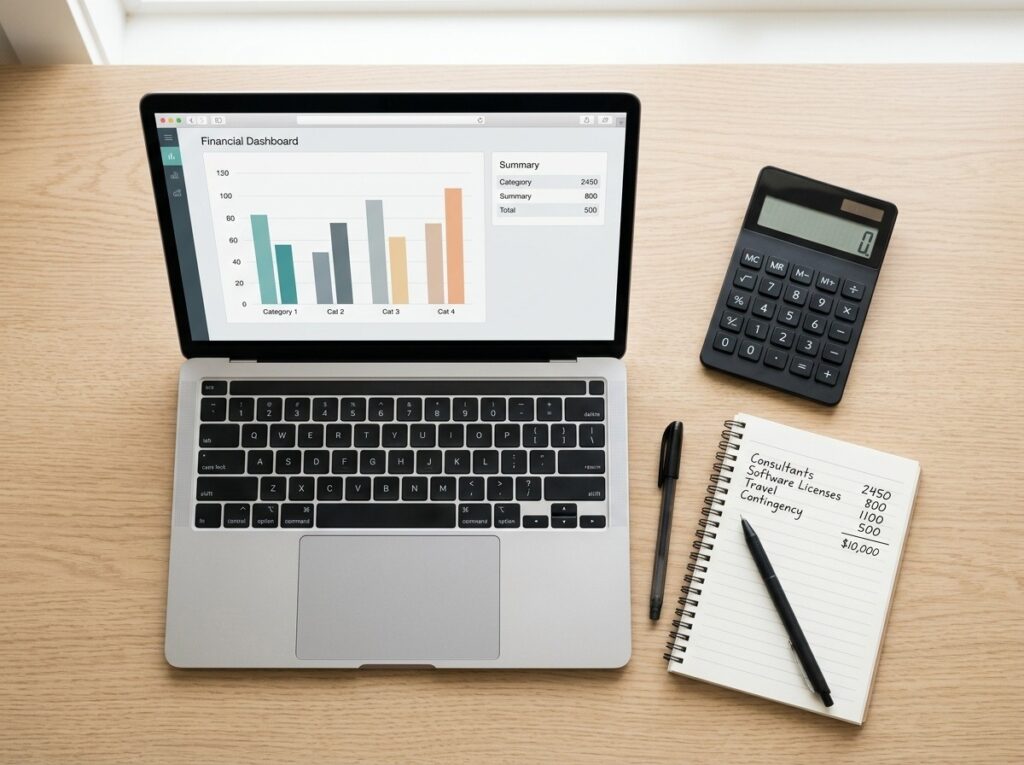
If your team is laser-focused on budget tracking, go straight to Scoro, Productive.io, or Celoxis. They’re designed specifically for financial visibility, not just generic task lists with some budget add-on.
For invoicing, check out Paymo; for future budget forecasting, Runn’s worth a look. If you want a broader tool, Teamwork and Smartsheet both handle budgets well without forcing you to switch to something totally finance-centric.
Best For Managing Multiple Projects at Once
Wrike, Smartsheet, and GanttPRO are the go-tos for teams managing several projects simultaneously.
Wrike handles forms and templates for cross-team work, Smartsheet gives you big-picture portfolio reporting, and GanttPRO’s visuals make overlapping projects easier to track.
All three help you instantly see which project needs your attention right now.
Asana’s Advanced tier (with Portfolios) and Airtable’s flexible views are also worth considering here if you’re already using either tool for single-project tracking and want to extend it to a multi-project view.
Most User-Friendly Picks
Trello and MeisterTask consistently top usability comparisons for teams with little to no project management software experience — both rely on Kanban boards that need almost no explanation to a new hire.
monday.com is a close third: slightly more powerful, still very approachable, and the best pick if a team expects to outgrow a pure Kanban tool within the first year.
How to Choose Between Them
With 25 options, the fastest way to narrow down is to answer these questions in order:
- Is cost the hard constraint? If yes, start with Freedcamp, Bitrix24, or ClickUp’s free tier before evaluating anything paid.
- Is budget tracking the actual job, not a feature you’d like? If yes, go straight to Scoro, Productive.io, or Celoxis rather than a general tool with budget tracking bolted on.
- Are you managing many projects at once rather than one deep project? If yes, prioritize Wrike, Smartsheet, or GanttPRO.
- Is your team new to project management software entirely? If yes, start with Trello or MeisterTask and only move to something more complex once you hit a real limitation.
- Do you need collaboration features beyond tasks (docs, chat, CRM)? If yes, Notion, Nifty, or Bitrix24 consolidate more of your stack into one tool.
Most teams can eliminate 20 of the 25 options just by answering the first two questions honestly.
Conclusion
There isn’t a single cloud-based project management software that works for everyone. You need to figure out what matters most: price, budget tracking, handling multiple projects, or just something really easy to use.
Once you know your top priority, use the shortlist to pick two or three contenders. Don’t just scan feature pages—try them for real.
Almost all the tools on the list have a free plan or let you test-drive without handing over your credit card. So pick your favorites, set up an actual project in each, and see how they hold up in your real workflow.
Give them fifteen minutes—trust me, that quick hands-on trial gives you way more insight than any comparison article, even this one.
Frequently Asked Questions
What’s the best totally free project management software?
Freedcamp and Bitrix24 both stand out—they really mean it when they say “unlimited.” You can add as many users and projects as you want, and they don’t sneak in an expiration date or force a trial. ClickUp’s free plan is pretty good too, with unlimited users and tasks, but it does limit storage and automation compared to Freedcamp or Bitrix24.
Which cloud project management tools are simplest to pick up?
People mention Trello and MeisterTask the most. They both use easy Kanban boards and barely need any introduction. If you’re thinking you’ll need richer automation or reporting soon, monday.com is also a good choice.
Which ones are built for tracking budgets?
Scoro, Productive.io, and Celoxis focus on budget and profitability, not as some afterthought—they’re designed for it. If you care more about sending invoices than tracking internal budgets, look at Paymo, which is lighter and handles invoicing well.
Can these tools handle several unrelated projects at once?
Definitely. Wrike, Smartsheet, and GanttPRO are especially good for juggling multiple projects at once, since they let you see everything side by side at a portfolio level. Some of the other tools on the list can technically handle multiple projects, but you’ll notice the reporting is really centered on one project at a time.
Do I actually need to pay for a plan or is a free tool enough for a small business?
If you’re managing a team of ten or less and your needs are pretty basic—just tracking tasks—a free plan from Freedcamp, Bitrix24, ClickUp, or Trello will usually get you far. People mostly upgrade when they need more automation, extra storage, advanced reports, or when their team starts to grow past the seat limits.