









When weighing Synthesia vs HeyGen, go with Synthesia if you need to build training or compliance videos for a team, especially if you want certification features, SCORM export, and a simple editor.
Pick HeyGen if you’re more focused on marketing, sales, or making videos in many languages, and you want wider language coverage or more photo avatar options.
Pricing starts at $29 a month for both tools, and each has a limited free plan, but you have to track your usage through credits. All details here come from what the vendors publish; the features were not tested hands-on.
Synthesia and HeyGen are usually the top choices when you want an AI presenter without a camera. The basics are the same: type your script, choose an avatar, get a video. The real differences are in pricing, the kind of team each is built for, and how each handles collaboration.
Everything here comes from the vendors’ pricing and security pages as of October 2026. Where other articles, or the companies’ own comparison pages, don’t agree with those pages, that’s noted. There’s no single winner: it depends on what you want to make.
Table of Contents
Synthesia vs HeyGen at a Glance
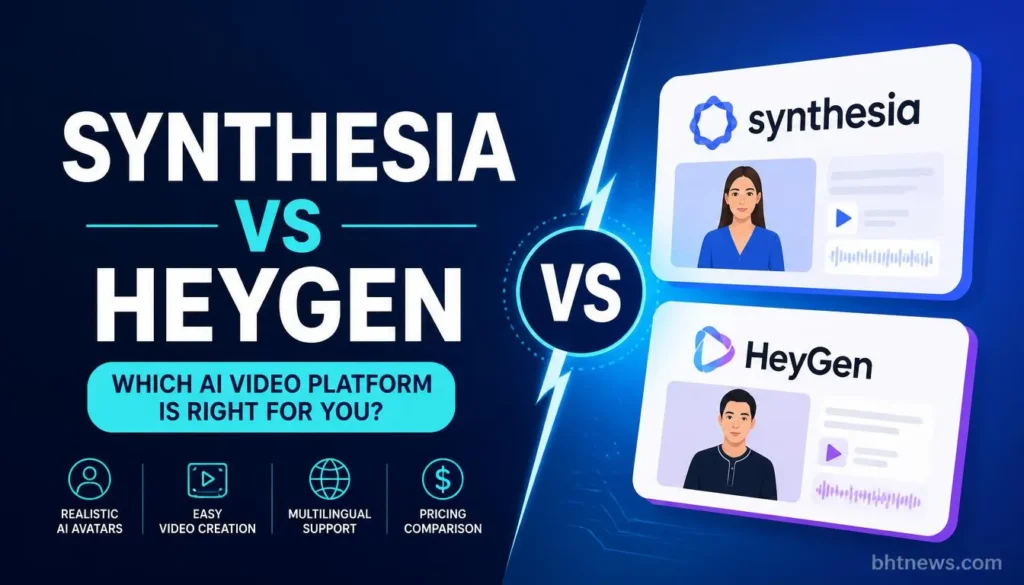
| Area | Synthesia | HeyGen |
| Free plan | Basic: $0, 500 credits, 9 avatars, watermark | Free: 3 videos a month, 1 minute each, 1 custom video avatar |
| Entry paid plan | Starter $29/mo (monthly billing): 1,250 credits, about 12 minutes, 125+ avatars | Creator 29/mo ($24/mo if billed annually per its FAQ): 600 credits, up to 30 minutes per video, 1080p |
| Middle plan | Pro $89/mo: 6,000 credits, about 60 minutes, 180+ avatars, 5 personal avatars | Pro $49/mo: 1,000 credits, 4K; higher credit tiers up to $4,300/mo |
| Top plans | Enterprise: custom, 240+ stock avatars, unlimited personal avatars, unlimited minutes, SSO, SCORM | Business $149/mo plus $20 per seat, up to 60 minutes; Enterprise custom |
| Languages | 140+ languages | 175+ languages and dialects on paid plans; 30+ on Free |
| Security named on vendor pages | Trust Center lists SOC 2, ISO 27001 and 42001, GDPR | SOC 2 Type II, GDPR, EU-US Data Privacy Framework, CCPA, EU AI Act mentioned; no ISO listed |
| Best fit (editorial view) | Training, onboarding, compliance, team workflows | Marketing, sales outreach, translation, creator-style videos |
What Each Platform Is
Synthesia is an AI video platform built around stock and personal avatars, a browser editor and, at the top tier, team features such as SSO, brand kits and SCORM export (a format used by learning systems). Its page also lists learner seats for roleplay sessions at $29 per seat per month.
HeyGen offers avatar videos too, with an emphasis on photo avatars, custom video avatars, voice cloning and a large language list. Its free plan allows three photo avatars and one voice clone, and paid plans add unlimited photo avatars.
Pricing and Credits: How a Minute Is Counted
Both platforms use credits, which makes it hard to work out what you’re paying per video.
Synthesia estimates about 100 credits per minute for video and 76 per minute for dubbing. A Starter plan with 1,250 credits covers about 12 minutes of video, and Pro’s 6,000 covers around 60.
HeyGen spells out the credits per plan (600, 1,000, 1,500) and limits maximum video length, but doesn’t give one set number for credits per minute. The cost depends on the avatar and model you pick.
Two third-party articles say HeyGen’s Avatar IV costs 20 credits a minute. That figure wasn’t on the pricing page, so check it before you rely on it. Here it’s used only as an illustration:
- Synthesia Starter. $29 for about 12 minutes is roughly $2.40 a minute. Pro at $89 for about 60 minutes is roughly $1.50.
- HeyGen Creator (hypothetical). If 20 credits equals a minute, 600 credits would cover 30 minutes for $29, or about 97 cents a minute. A more advanced avatar will use credits faster.
The lesson: price your actual video type, not the headline plan.
Rollover matters too. HeyGen’s page says monthly subscribers’ unused credits roll over for one month, and annual subscribers’ credits accumulate until renewal.
Billing periods add confusion. Synthesia’s page says yearly billing saves up to four months, but it doesn’t show the yearly dollar amounts. HeyGen’s FAQ gives $24 a month for annual Creator.
Third-party articles quote still other figures (for example, $18 for Synthesia Starter annual, and $99 or $79 for HeyGen Pro), which don’t match the HeyGen page’s $49. Treat any number that isn’t on a dated vendor page with suspicion.
Avatars: Stock, Personal and Custom
Synthesia’s page lists 9 avatars on Basic, 125-plus on Starter, 180-plus on Pro and 240-plus stock avatars on Enterprise. It lists five personal avatars on Pro and unlimited on Enterprise.
HeyGen’s page lists custom video avatars by plan: one on Free, “1+ (add-on)” on Creator and Pro, 5-plus on Business and 10-plus on Enterprise, plus photo avatars that become unlimited on paid plans.
Which looks more realistic is the question every comparison tries to answer, and a spec sheet can’t settle it. Synthesia’s comparison page cites a blind test that favored its avatars, but the vote counts on the same page work out to about 59%, not 70%, and the study was commissioned by Synthesia.
HeyGen’s page says it has “the most realistic avatars on the market,” with no method given. One third-party review says HeyGen wins on realism after testing, but publishes no samples. Realism is something you judge by eye and ear, so test it (see below).
Languages and Translation
HeyGen claims support for over 175 languages and dialects on its paid plans; Synthesia says 140+. Both numbers come from the companies themselves and reflect how many languages they list, not how well each one works. One third-party review says it tested auto-translation for Spanish and Mandarin, but it doesn’t show the scripts or audio.
For your audience’s language, listen to a sample from each service, especially if tone and accent matter.
One clear difference: Synthesia gives one-click translation only to Enterprise users, while HeyGen offers more languages on all paid plans. Double-check which plan includes the languages you need.
Security, Compliance and Avatar Consent
Synthesia’s Trust Center page lists SOC 2, ISO 27001 and 42001, and GDPR, and describes content moderation and an avatar consent policy. The page was thin on detail, so the specifics of each aren’t verified here.
Synthesia’s comparison page adds claims about ISO 27701 and C2PA content credentials, which weren’t confirmed elsewhere.
HeyGen lists SOC 2 Type II security, GDPR compliance (with an official European data protection officer), EU-US Data Privacy Framework certification, and mentions the CCPA and the EU AI Act. It doesn’t list any ISO certification, and its moderation pages weren’t reviewed. If you need ISO, ask both companies for live certificates rather than relying on a line on the website.
Whoever you choose, read their terms on using someone’s likeness. If you’re making personal or custom avatars, you need that person’s consent, and commercial use rules change by plan.
Where the Vendors’ Comparison Pages Disagree With Their Own Pricing Pages
Both companies publish a “vs” page, and both are marketing. These are the discrepancies:
- HeyGen’s page says “Synthesia has no free tier.” Synthesia’s pricing page lists a free Basic plan.
- Synthesia’s page says HeyGen recharges for a whole scene on any edit. That claim is attributed to “a common complaint” without a source.
- HeyGen’s page says Synthesia has no branching or quizzes, but the same page’s pricing table lists branching as available on “Creator and above,” and it shows SSO as available in one table and Enterprise-only in another.
- Synthesia’s page calls its blind-test study “independent,” while a footnote says Synthesia commissioned it.
None of this means either product is bad. It means neither comparison page should be your only evidence.
Which Should You Choose?
- Corporate training, onboarding, compliance. Synthesia’s SCORM export, SSO, brand kits, and certifications are aimed at this. Several third-party reviewers reach the same view, but they have their own biases.
- Marketing, sales outreach, social video. HeyGen’s wide language list, photo avatars, and credit rollover suit faster, more varied output.
- Many languages from one script. Compare both on your target languages; HeyGen lists more, and Synthesia gates one-click translation to Enterprise.
- Strict budget with one short video a month. Use the free plans first. Synthesia’s allowance is larger (500 credits), but it watermarks videos; HeyGen’s allows three one-minute videos.
- Large team with approvals. Synthesia lists real-time collaboration on its Enterprise tier. HeyGen lists extra seats at $20 each on Business. Ask both about workflow and permissions.
How to Test Both Fast
- Write a simple 30-second script. Include your product’s name, a number, and a question, so you can check pronunciation and pacing.
- Run it through both free plans using a similar stock avatar. Watch for watermarks, length limits, and video resolution. Make a version in a second language and ask a native speaker to review it.
- Make a small edit and see if it costs extra credits.
- Request current security certificates, avatar consent terms, and commercial use policies from each vendor in writing.
- Price your real monthly volume against each plan, using minutes for your video type.
Conclusion
The choice between Synthesia and HeyGen comes down to what you’re making. For training or compliance, Synthesia usually makes sense.
However, if you are looking for a versatile Synthesia io alternative for marketing, translation, or more creative output, HeyGen is often the better fit. No review or company comparison chart can tell you which will look best for your use, so run your own test with your own script.
Next: put the same 30-second script into both free plans, compare the output, and calculate what you’d actually pay per month for the minutes you want.
Disclosure: All details here were taken from vendor pages in October 2026 and can change. This is general information, not advice for your business.
Frequently Asked Questions
Is HeyGen cheaper than Synthesia?
It depends on the plan and video type. Both list $29 a month for their entry plans on monthly billing, and HeyGen’s FAQ lists $24 for annual Creator. Credits are used differently, so compare cost per minute for your real videos.
Does Synthesia have a free plan?
Yes. The Basic plan is $0 with 500 credits a month, 9 avatars, and a Synthesia watermark. Some competing pages wrongly say it has no free tier.
Which has more languages, Synthesia or HeyGen?
HeyGen lists 175-plus languages and dialects on paid plans, and Synthesia lists 140-plus. The counts come from vendor pages and say nothing about quality, so listen to samples in your language.
Which is better for corporate training?
Synthesia is built more for it, with SCORM export, SSO, and brand kits on its Enterprise plan and named certifications on its Trust Center. HeyGen also lists SOC 2 Type II. Check which features your plan includes.
Are Synthesia and HeyGen safe for company data?
Both list security credentials: SOC 2 and GDPR for both, ISO for Synthesia. Ask for up-to-date certificates and data handling policies in writing. Before you use a real person’s face, check the rules on likeness and consent for custom avatars.
Can I create my own avatar?
Yes, but each platform is a little different. Synthesia lets you make up to five personal avatars on the Pro plan and unlimited on Enterprise. HeyGen allows custom video avatars (depending on plan) and photo avatars on every plan. Always check consent and commercial terms if you want to use a real person.

