








Choose by company type first. Small teams can try free options to learn the tools: Automation Anywhere’s Community Edition (capped at five machines) and Zoho RPA’s free plan (three executions a month).
UiPath Community is free, but don’t skip reading the license details before using it at work. If your company uses Microsoft 365, you’ll want to look at Power Automate.
The pricing is straightforward: $15 per user each month for attended automation, or $150 per month for each unattended bot.
Larger enterprises will deal with UiPath (which also lists a $25 Basic plan), Automation Anywhere, Blue Prism, Pega, Appian, or Tungsten, which sell mostly by quote.
Prices here come from vendor pages read in November 2026.
Robotic process automation (RPA) software runs “bots” to take over repetitive computer tasks think copying data from one place to another, filling out forms, moving files, and checking records.
It’s especially useful when you’re stuck with old systems that don’t have APIs, or when simple, rules-based work eats up way too much staff time every week.
Buying it is harder than it looks. This robotic process automation tools comparison covers ten tools and shows what’s free, what’s quote-only, and what unit (bots, machines, users, executions) each price is built on.
It doesn’t crown a winner, since the right tool depends on size and stack. If you are comparing whole-process platforms, see our business process management software comparison.
Table of Contents
Quick Comparison: Which Tool Suits Which Buyer
| Buyer | Tools to Look at First | Why |
| Individual or small team trying RPA | UiPath Community, Automation Anywhere Community, Zoho RPA Free | Free tiers exist for learning; each has limits on use, machines or runs, and UiPath’s commercial-use terms need checking. |
| Microsoft 365 organization | Power Automate | Public per-user and per-bot pricing and native Microsoft connectors. |
| Large enterprise, many bots | UiPath, Automation Anywhere, Blue Prism | Enterprise platforms with governance and scale, priced by quote. |
| Case management plus automation | Pega, Appian | RPA sits inside a larger low-code platform. |
| Document-heavy processes | Tungsten RPA (formerly Kofax RPA) | Pairs RPA with document processing, by quote. |
| No-code, IT and SMB teams | Fortra Automate, ElectroNeek | No-code design, quote-based pricing. |
What Does RPA Software Actually Do?
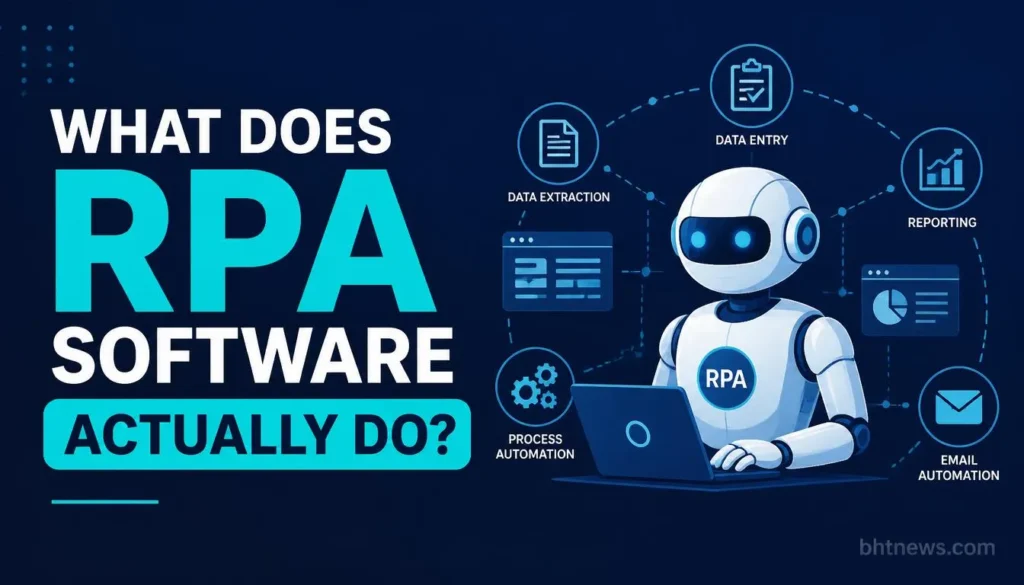
A bot follows a recorded or designed script: open this app, read that field, paste it here, press save. Two modes matter for pricing.
Attended bots run on an employee’s computer and help with a task while they work. Unattended bots run on their own on a server or virtual machine, usually on a schedule. Vendors often price the two differently, and unattended bots often cost more.
Many tools now add AI agents and document reading on top of basic bots. That makes older “RPA only” comparisons less useful, because the same product may be sold as RPA, an agent platform, or a process suite.
This article keeps the focus on the automation of software tasks.
How this Comparison Was Made
- Each vendor’s pricing or product page was opened in November 2026, and plan names, prices, caps, and trial terms are taken from what the page showed. Where it showed no number, this article says so.
- Nothing is a hands-on test: no accounts were opened, and feature statements are the vendors’ own. Ten tools were chosen to cover each type; many others exist, and omission isn’t a judgment.
- Automation Anywhere’s and SS&C Blue Prism’s pricing are not publicly available.
- SAP structures its pricing around low-code, user-centric licenses and flat-rate bot fees on the SAP Business Technology Platform (BTP).
- ServiceNow rarely quotes flat rates. Instead, the platform relies on customized corporate packages tied closely to core platform modules like ITSM (IT Service Management) or HRSD (HR Service Delivery).
- NICE splits its identity between standalone desktop automation licenses and deeply integrated contact-center-as-a-service (CCaaS) environments via NICE CXone
There are no affiliate links, and no vendor paid for a place.
Pricing at a Glance
“Published” means a figure appeared on the vendor’s page. “Quote” means the page directed readers to sales. Checked November 2026.
| Tool | Pricing Status | What the Page Showed | Free Option |
| UiPath | Basic from $25/mo; others quote | Community free; Basic from $25/mo; Standard and Enterprise quote-only. | Community (free; check license terms); 60-day trial on Standard |
| Automation Anywhere | Quote | Not publicly available | Community Edition for small businesses |
| Power Automate | Published | Premium $15/user/mo; Process $150/bot/mo; Hosted Process $215/bot/mo. | 30-day trial |
| SS&C Blue Prism | Quote | No publicly available | Free trial link (terms not described) |
| Pega | Quote | No publicly available | Platform trial |
| Appian | Quote (per user, per month, per app) | Standard, Advanced, Premium; RPA bots: 5, 25, unlimited. | Free Community Edition |
| Tungsten RPA | Quote | No publicly available | Demo only |
| Zoho RPA | Plans listed; prices not shown | Free: 3 executions/mo, 1 active flow. Standard: 500 executions/mo. | Free plan; 15-day trial |
| Fortra Automate | Quote | “Request Pricing”; attended and unattended bots. | Trial (terms not stated) |
| ElectroNeek | Quote | Four packages, none priced; unlimited bots advertised on RPA plan. | Trial (terms not stated) |
Enterprise RPA Platforms
- UiPath
UiPath lists four Automation Cloud plans. Community is free.
- Basic starts at $25 a month and is aimed at personal automations with limited users and robots.
- Standard and Enterprise are quote-only, and Standard includes a 60-day free trial. Enterprise adds items like self-healing UI automation, process monitoring, and credential vaults.
- Prices for additional users and robots aren’t listed.
- The catch is that the jump from $25 to a quote is steep, and the page says an updated Basic offering is coming.
- Check what Basic still includes before you plan around it.
UiPath’s licensing documentation describes its free plans as suited to individuals or evaluation, so check the license terms before using Community for business work.
- WorkFusion
WorkFusion is a New York-based software company specializing in purpose-built AI agents for financial crime compliance (FCC) and intelligent automation, operating as a subsidiary of UiPath.
- Financial Crime Compliance (FCC): Automates Level 1 analyst workflows for Anti-Money Laundering (AML), Know Your Customer (KYC), Sanctions Screening, Adverse Media Monitoring, and Enhanced Due Diligence (EDD).
- AI Digital Workers & Agents: Uses pre-trained, human-in-the-loop AI agents designed to execute repetitive tasks and generate audit trails:
- Evelyn: Handles PEP (Politically Exposed Person) and sanctions alert reviews.
- Tara: Processes payment sanction screening alerts (such as SWIFT and ISO 20022 messages).
- Evan / Isaac / Edward / Kayla: Monitor adverse media, handle AML transaction investigations, and assist with KYC tracking
- Technology Stack: Combines Generative AI, Explainable AI, Robotic Process Automation (RPA), and Intelligent Document Processing (IDP).
Read our guide on How Can a Small Business Use AI to Cut Costs
- Automation Anywhere
Automation Anywhere’s pricing is not publicly available. Its Community Edition page is clear on limits:
- Free for small businesses with fewer than 250 machines, fewer than 250 users
- Under $5 million in annual revenue, capped at five machines, with document automation limited to 100 pages a month.
- Treat it as a way to learn the platform, not to run a department.
- SS&C Blue Prism
Blue Prism describes itself as an enterprise agentic automation product and says it’s backed by SS&C Technologies. The page shows no public pricing and a trial link without terms.
- For Microsoft 365 Companies: Power Automate
Power Automate publishes the most figures.
- Premium is $15 per user a month (paid yearly) and covers cloud flows, attended desktop flows, and premium connectors.
- Process is $150 per bot a month for unattended desktop flows (one bot or process in one environment), and Hosted Process is $215 with a Microsoft-hosted virtual machine.
- A Process Mining add-on costs $5,000 per tenant a month and requires Premium licenses.
- The page gives no numeric flow limits, only “within service limits.”
It’s a strong fit if you already live in Microsoft apps. See Microsoft’s Power Automate pricing page for current figures.
- SAP Build Process Automation
SAP prices its automation tools with a focus on user-friendly, low-code licenses and set fees per bot on its Business Technology Platform (BTP).
- SAP Build Base User: $3.46 per active user/month.
- SAP Build Premium User: $9.21 per active user/month.
- Unattended / Attended Automation Bots: $534 per month
- ServiceNow RPA Hub
- AI-Native Packaging Structure: ServiceNow organizes its modules into three central tiers: Foundation, Advanced, and Prime. Instead of flat licensing alone, actions utilize consumption-based “assist pools”.
- Estimated Base Seat Pricing: Fulfiller seats range heavily depending on the tier. Base Foundation seats hover around $70 to $100 per user/month, while Advanced and Prime tiers (which heavily utilize autonomous agent workflows) jump to $150 to $200+ per user/month. The RPA Hub is typically priced as a value add-on or bundled tool within these tiers.
- Implementation Multiplier with ServiceNow. If you’re budgeting, keep in mind that setup costs often pile up fast. Integrations, tweaking workflows, and building custom workspaces can push your first-year bill to three to five times the annual subscription price.
- NICE CXone
- Omnichannel Suite: $110 per agent/month.
- Core Suite: $169 per agent/month.
- Ultimate Suite: $249 per agent/month, plus a $0.25 per-session fee for advanced AI agent routing and copilot features.
Low-Code Platforms with RPA Built in
- Appian
Appian bundles RPA into its platform and prices per user, per month, per app, with no amounts shown.
- For RPA, the tiers differ by bot count
- Five RPA bots on Standard
- 25 on Advanced
- Unlimited on Premium.
A free Community Edition lets you explore the platform. If you only want bots, this may be more platform than you need.
For Appian’s wider process features, see our business process management comparison.
- Pega
Pega’s page lists no pricing and links to a platform trial without terms. Third-party sites sometimes cite per-user ranges; none could be confirmed on Pega’s page, so none are given. Expect a sales process and a scoped proposal.
- Tungsten RPA
Tungsten shapes its RPA offering around low-code and no-code tools, document handling, AI-driven robots, and the choice of on-premise or cloud setup. They don’t list any pricing, but instead invite you to book a demo, not a trial.
It’s most relevant if your processes start with documents such as invoices or forms.
No-Code and Smaller-Team Options
- Zoho RPA
Zoho RPA has the most concrete small-team limits.
- The Free plan allows three RPA flow executions a month and one active flow.
- Standard allows 500 executions a month, unlimited active flows, and 90 days of history.
- Extra executions are sold in blocks from 100 to 15,000 a month.
The page lists no dollar amounts, and cloud app actions need a separate Zoho Flow account. A 15-day trial covers premium features. The free plan is more of a demo than a production tier.
- Fortra Automate
Fortra Automate is described as no-code RPA, with form-based development and 600-plus automation actions.
- Its page lists five products (Enterprise, Desktop, FTP Essentials, Intelligent Capture and Care) and says bots can run attended or unattended, describing its pricing as having “no hidden costs to scale.”
- That is Fortra’s own claim.
- No prices are shown; you request a quote.
- ElectroNeek
ElectroNeek lists four packages:
- AI Agents and Process Management, Document Processing, RPA and Integrations
- Enterprise. None are priced.
- The RPA and Integrations package advertises unlimited attended and unattended bots.
The page does not say what the price is built on, so ask.
Free Tiers Compared
| Tool | What the Free Option Allows |
| UiPath Community | Free forever per its page, with forum access. Specific features were not verified here. Terms for commercial use were not shown on the page read. Check the license before business use. |
| Automation Anywhere Community | Small businesses only: fewer than 250 machines and users, under $5M revenue, max five machines, 100 document pages a month. |
| Zoho RPA Free | 3 executions a month, 1 active flow, 30 days of history. |
| Appian Community | A dedicated platform instance for exploring, in a personal development environment. |
| Power Automate trial | 30 days, cloud flows with standard connectors, plus process and task mining. |
What the Price Doesn’t Include
- Licensing unit. Bots, users, machines, executions, and apps are all used. Compare on your own expected volume, not a headline number.
- Add-ons. Power Automate’s Process Mining is $5,000 a month. Zoho sells extra executions in blocks. UiPath lists additional users and robots as separate purchases.
- Build and maintenance. Bots break when screens change. Budget developer time for upkeep, not just licenses.
- Infrastructure. Unattended bots need machines or virtual machines. Hosted Process at $215 includes one; others may not.
- Process cleanup. Automating a messy process produces a fast, messy process. Mapping and simplifying come first.
Three Illustrative Cost Scenarios
These are hypothetical and use only published numbers. Prices exclude implementation, support, and taxes.
- A 10-person finance team, attended automations. Power Automate Premium at $15 per user per month is $150 a month, or $1,800 a year at yearly billing, if everyone needs a license. Premium connectors are included in that price, but check the limits page.
- A company adding three unattended bots on Power Automate. Three Process licenses at $150 each is $450 a month, or $5,400 a year. Hosted Process at $215 each would be $645 a month if you want Microsoft to host the machines.
- A solo consultant testing automation. UiPath Community (check its license terms for business use) or Zoho’s free plan costs nothing, though Zoho’s three monthly executions only suit a trial. UiPath Basic from $25 a month is the next published step. Anything larger moves to a quote.
What to Compare Beyond Price
Two tools at the same price can behave very differently once bots are running. Ask each vendor about these areas.
| Area | What to Ask |
| Resilience to app changes | How does the tool detect and repair broken steps, and what does maintenance cost? |
| Orchestration | How are bots scheduled, monitored and restarted? |
| Security and audit | What logging, credential storage and access controls are included? |
| AI and document features | Which AI features are included, and which cost extra? |
| Support and training | What support is included, and what does a higher tier cost? |
| Scalability | What changes in price and setup if you go from 5 bots to 50? |
How to Choose: a Checklist For Demos
Pick one real process and ask each vendor to automate it live. Then ask:
- What is the three-year cost for my bots, users, and expected volume, in writing?
- Which licensing unit do you use, and how does cost change if volume doubles?
- Are attended and unattended bots priced separately?
- What happens to a bot when an app’s screen changes, and who fixes it?
- What are the contract length, renewal terms, and exit rights?
- Can I export my automations if I leave?
Conclusion
You’ll get the best comparison of RPA tools when you start with one real process in mind. Break down how many bots and people you’ll need, whether tasks need someone watching over them or can run on their own, and check how each vendor charges.
Free plans are for learning or tiny jobs; Power Automate’s pricing is the easiest to understand, while bigger platforms usually mean bigger, customized projects.
Here’s a practical move: pick one routine task, estimate how much work and how many users it involves each month, then ask two vendors from different categories for written three-year quotes on exactly that process.
Just so you know, this article is for general information only. Prices and plan details were pulled from vendor sites in November 2026 and might have changed since then.
Verify on the vendor’s page before buying. BHTNews has no affiliate relationship with the vendors named here, and no vendor paid for a place.
Frequently Asked Questions
How much does RPA software cost?
From free tiers to custom enterprise quotes. The published prices here start at $0 and run to $215 per hosted bot a month, plus a $ 5,000-a-month Process Mining add-on. Free tiers exist from UiPath, Automation Anywhere, Zoho and Appian. Power Automate attended automation is $15 per user a month, and UiPath Basic starts at $25 a month. Most enterprise plans are quote-only.
What is the difference between attended and unattended bots?
Attended bots run on an employee’s computer and assist with a task while they work. Unattended bots run on their own, usually on servers on a schedule. Vendors often price them separately.
Is RPA the same as workflow automation?
No. RPA mimics a person’s actions in software screens, which helps when there is no API. Workflow automation moves tasks between people and systems along a set route, usually through connectors. Many suites do both.
Is there a free RPA tool I can use for a business?
Yes, with limits. Automation Anywhere’s Community Edition is for small businesses under 250 machines and users and $5 million in revenue, capped at five machines. Check UiPath’s terms for commercial use, which the page read did not spell out.
Does RPA need programming skills?
Not always. Several tools here advertise low-code or no-code design, such as Fortra Automate and Tungsten RPA. Complex automations and maintenance still benefit from someone with technical skills.
How long does it take to get RPA running?
Timelines vary by process and tool, so ask each vendor for one in writing.