











Quick answer: Focus on the type of tool you need first, then worry about specific vendors. For small teams needing approvals or forms, start with the free plans from Pipefy, Zoho Creator, or the development version of Camunda.
If your company runs on Microsoft 365, check Power Automate is the only tool here that publishes simple per-user pricing ($15 per user a month, billed annually).
Bigger, regulated, or complex organizations end up talking to Appian, Pega, Nintex, or Bizagi, and all of them require a quote for paid plans. The pricing info below comes straight from vendor pages, as of October 2026.
Business process management software, or BPM for short, lets companies map out how their work actually gets done: who does what, in what order, with which data, and how long it takes.
It’s basically the layer between someone’s whiteboard diagram and the pile of apps you use every day.
The catch for buyers is price. Of the eleven tools in this business process management software comparison, only a few publish a figure, and the rest send you to sales.
This guide doesn’t pretend there’s a clear top pick. Instead, it breaks down these tools by category, shows exactly what each vendor publishes publicly, and points out what you’ll have to ask for yourself.
Table of Contents
Quick Comparison: Which Type Fits Which Buyer
| Buyer | Tools to look at first | Why |
| Small team, approvals and requests | Pipefy, Process Street, Zoho Creator | Pipefy and Zoho Creator have free options; Process Street offers a 14-day trial. Check user and record caps. |
| Teams building internal apps around processes | Quickbase, Kissflow | Many apps and users per plan, priced by plan or quote. |
| Already on Microsoft 365 | Power Automate | Public per-user pricing and deep Microsoft connectors. |
| Large or regulated enterprise | Appian, Pega, Nintex | Case management, governance and scale, all quote-based. |
| Engineering-led teams | Camunda | Process engine and BPMN modeling, free for development. |
| Process modeling that also runs | Bizagi | Modeling to execution, consumption-based quote. |
Business Process Management Software Comparison, Workflow Automation and RPA: What’s the Difference?
Labels get messy, and vendors stretch definitions. In plain English: BPM software manages whole processes, usually with modeling, tasks handled by people, decision rules, and reports.
Workflow automation tools focus on single routes, like sending an approval or passing a form along.
Robotic process automation, or RPA, imitates clicks and keystrokes in apps that don’t offer an API.
Many platforms here do two or all three, which is why price comparisons between them can mislead. A $15-per-user flow tool and a quote-based enterprise case-management platform are very different purchases.
How this Comparison Was Made
Each vendor’s pricing or plans page was opened in October 2026. Plan names, prices, caps, and trial terms are taken from what the page showed.
Where it showed no number, this article says so. Nothing is a hands-on test: no accounts were opened, and feature statements are the vendors’ own.
Eleven tools were chosen to cover every type above; many others exist, and omission isn’t a judgment.
Two products were dropped on purpose: ProcessMaker’s pricing page now redirects to Decisions, and IBM Business Automation Workflow’s page carried a “Withdrawn” label that it didn’t explain. There are no affiliate links, and no vendor paid for a place.
Pricing at a Glance
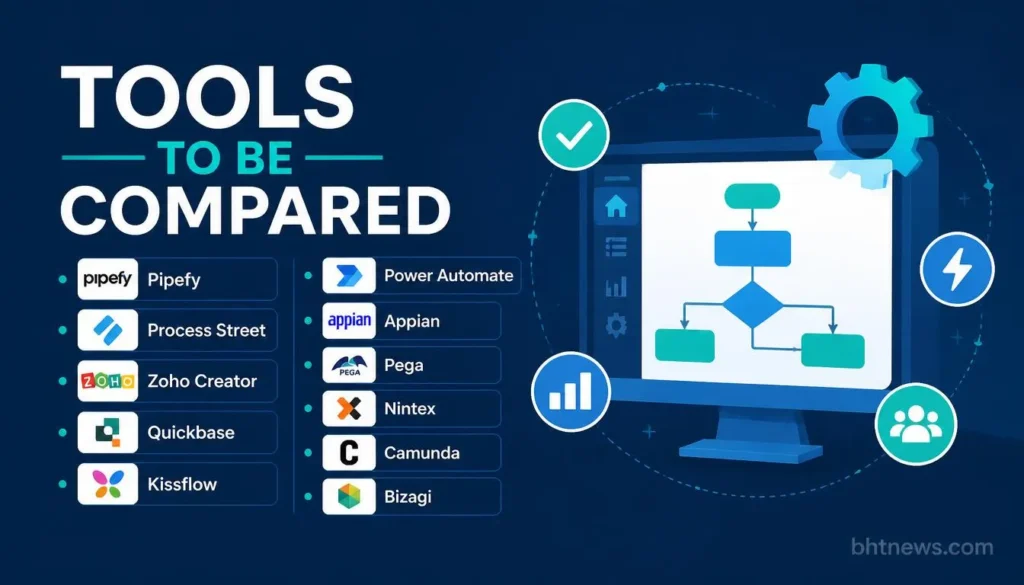
Published means a figure appeared on the vendor’s page. Quote means the page directed readers to sales.
| Tool | Pricing status | What the page showed | Free option |
| Pipefy | Free tier published; paid by quote | Starter free: up to 10 users, 5 workflows, 50 cards/mo. | Yes (Starter) |
| Process Street | Quote | Startup, Pro, Enterprise; Startup includes 5 users. | 14-day Pro trial |
| Zoho Creator | Plans listed; prices not shown on the page we read | Free, Standard, Professional, Enterprise, Flex. | Yes (Free edition); 15-day trial |
| Quickbase | Starter price published | Starter from $500/mo billed annually, up to 50 apps, unlimited users. | “Try It Free” (length not stated) |
| Kissflow | Quote | User-based pricing with transaction tiers; annual agreements. | None stated |
| Power Automate | Published | Premium $15/user/mo; Process $150/bot/mo; Hosted Process $215/bot/mo. | 30-day trial |
| Appian | Quote (per user, per month, per app) | Standard, Advanced, Premium; no amounts. | Free Community Edition |
| Pega | Quote | No pricing on the page. | Platform trial |
| Nintex | Quote | No plans or prices on the page. | Trials linked |
| Camunda | Quote for production | Self-managed development free; SaaS and production by quote. | Free dev edition; 30-day SaaS trial |
| Bizagi | Quote (consumption-based) | Unlimited users and apps stated; no prices. | None stated |
Tools For Business Teams: Forms, Approvals and Internal Apps
Pipefy
Pipefy works like a set of cards moving through stages, which suits requests, onboarding, and purchase approvals.
The Starter plan is free and covers up to 10 users, 5 workflows, and 50 cards per month, plus 15 automations.
Move up to the Business or Enterprise tiers, and you’ll need a quote; those plans increase the limits for everything, including interfaces, records, and API calls.
One thing: The free plan is for testing, not running your whole operation. There are some fuzzy limits on the pricing page, so get them in writing.
Process Street
Process Street is all about checklists and repeatable tasks. They list Startup, Pro, and Enterprise plans, but no prices. Startup allows 5 users, 10 guests, and 100 automation actions per month, and Pro kicks off with a 14-day trial.
All plans say they support SOC 2 Type 2, HIPAA, and SAML single sign-on. Process Street really shines if your work is repetitive and well-documented, but it’s not made for complicated case handling.
Zoho Creator
Zoho Creator is a low-code builder that handles workflows well. You’ll see Free, Standard, Professional, Enterprise, and a custom Flex plan. Pricing didn’t load clearly, so you’ll have to check Zoho’s site yourself.
A couple of points: Standard lets you make one app; Free also allows one app and up to 5,000 records. Zoho’s page lists Premium support at 20% and Enterprise support at 25% of license fees, which is easy to miss if you’re not careful.
Quickbase
Quickbase is one of the few tools here with a published starting price: $500 a month billed annually for the Starter plan, with up to 50 custom apps and no user limit, per its page.
Enterprise is custom, and audit logs are an add-on priced on request. Because users aren’t capped, cost doesn’t rise with headcount at Starter, which is unusual in this category.
Kissflow
Kissflow publishes no prices. Its page says pricing is user-based with transaction tiers on fixed annual agreements, with unlimited apps and integrations and no surcharges for AI or API usage. Get that surcharge claim and the transaction-tier definition in the written quote.
For Microsoft 365 companies: Power Automate
Power Automate has the clearest public pricing in the group. Premium is $15 per user a month (paid yearly) and covers cloud flows, attended desktop flows, and premium connectors.
A Process Mining add-on costs $5,000 per tenant a month and requires Premium licenses.
The page doesn’t show hard flow limits, just “within service limits,” so check their policy before rolling out something big. It’s a strong fit for automation inside Microsoft apps and a thinner fit for complex, multi-party case management.
For Large Enterprises: Appian, Pega and Nintex
Appian
Appian charges by user, per month, per app. There are Standard, Advanced, and Premium tiers (no prices listed).
The tiers differ mainly in record row limits (4 million, 20 million, unlimited), RPA bots (5, 25, unlimited), and how many AI actions you get a month (200k, 500k, or a million).
Some features, such as Process HQ and Case Management Studio, appear only in Advanced. There’s a free Community Edition for exploring the platform.
Pega
Pega’s website doesn’t post any pricing or plan details; it just sends you to a trial signup and doesn’t explain the terms.
Some third-party sites list per-user ranges, but none matched what’s on Pega’s page. Bottom line: expect to talk with sales and get a custom quote.
Nintex
Nintex has three main offerings: Nintex Automation CE (cloud), Automation K2 (self-hosted), and Nintex for Salesforce. No prices are published.
One article claimed plans “from $15,000 a year,” but Nintex’s own page didn’t say that, so that number’s not confirmed.
When shopping, clarify exactly which product, which extras (workflow, document automation, eSign, RPA), and which hosting model the quote includes.
For Engineering-Led Teams: Camunda
Camunda is a DMN (Decision Model and Notation) is a standard for modeling business rules. The self-managed Development edition is free for local, non-production use.
SaaS: For SaaS, there is a free 30-day trial, then a free account that supports modeling only. Production execution needs a quoted Enterprise plan.
It rewards teams with developers and punishes teams without them, as it’s a platform you build on rather than a finished business app.
For Modeling that Also Runs: Bizagi
Bizagi works as SaaS with a free 30-day trial, then a free account for modeling only. Running processes for real needs an Enterprise plan, which is quoted.
This platform rewards teams that have their own developers and punishes those without; they give you building blocks, but it’s not a plug-and-play business app.
Bizagi’s pricing is consumption-based, not user-based, and covers unlimited users and apps (including suppliers and partners).
Again, you need to ask for a quote and pricing brochure because no actual numbers are listed. The unlimited model is good if you have lots of occasional users, but you’ll want to nail down exactly what counts as “consumption.”
Why So Many Vendors Hide Prices
Enterprise BPM isn’t sold off-the-shelf; it’s a whole project with pricing based on users, apps, transaction volumes, environments, support, and services. That’s a fair reason, but it hurts comparison. A few ways to cut through it:
- Give every vendor the same brief: processes, users (including occasional ones), apps, expected volumes.
- Ask for a three-year total, including implementation, support, and environments.
- Ask what happens to price when volume or users double.
What the Price Doesn’t Include
- Support tiers. Zoho’s page lists premium support at 20% and Enterprise support at 25% of the license fee.
- Add-ons. Power Automate’s Process Mining is $5,000 a month. Quickbase audit logs are priced on request. Appian’s Autoscale needs extra licensing.
- Implementation. Kissflow, Pipefy and others list implementation services separately from the subscription.
- Process work itself. Mapping, cleaning and agreeing on a process takes internal hours that no vendor invoices.
- Change management. A tool nobody follows saves nothing. Budget time for training.
Three Illustrative Cost Scenarios
To give you an idea, here’s what you’d pay using only the published numbers: Prices exclude implementation, support and taxes
- If you have a 20-person team on Microsoft 365, Power Automate Premium at $15/user/month is $300 a month, or $3,600 a year (assuming everyone needs a license). Add $150 a month for each unattended bot (one bot or process in one environment) if you need them for desktop work. Your final bill depends on which flows use premium connectors.
- For a 100-person company building lots of internal apps, Quickbase Starter is $500 a month paid yearly, making $6,000 a year for unlimited users and up to 50 apps. Power Automate’s 100 premium licenses add up to $1,500 a month. The right fit depends more on your feature needs than just price.
- Regulated enterprises will need quotes from Appian, Pega, Nintex or Bizagi. To show how add-ons stack, Power Automate’s Process Mining add-on alone costs $5,000 a month, or $60,000 a year. Enterprise add-ons add up fast.
How to Pick Business Process Management Software: A Demo Checklist
Choose a real process you want to automate and ask each vendor to model it live.
- Ask for three-year costs (users, apps, volumes), in writing.
- Check which demo features are extra or part of a higher tier.
- Ask how they charge for guests, partners, or occasional users.
- Find out how much setup and implementation runs, and how long it usually takes.
- Clarify contract length, renewal, and exit options.
- Ask whether you can export your process models and data if you leave.
Conclusion
Start with your own process, not their product menu. If you can map out one real workflow, count the people involved, and list the systems, you can narrow a long list to just a couple of tools fast.
Free and published plans work fine for small teams; bigger enterprises are looking at true projects, priced accordingly.
Pick one real process, count users and apps, and get two written three-year quotes from different vendors. Compare their answers, not just the pitch.
The next step is to choose one process, count users and apps, and ask two vendors of different types for a written three-year quote on the same brief.
Disclosure: This article gives general info and isn’t official advice for your business. Prices and plan terms were read from vendor pages in October 2026 and can change. Verify on the vendor’s page before buying. BHTNews has no affiliate relationship with the vendors named here, and no vendor paid for a place.
Frequently Asked Questions
How much does business process management software cost?
It ranges from free tiers to custom enterprise quotes. The published prices in this article run from $0 to $5,000 a month for one add-on. Free tiers exist from Pipefy, Zoho Creator, and Camunda (development use); Power Automate Premium is $15 per user a month, and Quickbase Starter is $500 a month on annual billing. Appian, Pega, Nintex, Kissflow, and Bizagi sell by quote.
Is BPM software just workflow automation?
Not really. Workflow automation moves tasks along a set route. BPM software covers the full thing: modeling, execution, rules, monitoring, and includes human and automated steps. Many tools do both, but BPM is broader.
Do small businesses need BPM software?
Usually no, unless you have multiple teams, compliance needs, or spreadsheets can’t keep up. A free workflow or checklist tool may be enough until volume, compliance needs, or the number of teams grows.
What is BPMN, and does it matter?
BPMN is a standard way to draw process diagrams. It matters if you want both business people and engineers reading the same models, as with Camunda. For basic approval apps, it’s less important.
Why do vendors avoid publishing prices?
Because enterprise BPM pricing changes based on users, apps, process load, and included services. Always ask each vendor for a written three-year quote using the same requirements so you can actually compare.
Can I try BPM software before buying?
Often yes. Power Automate and Camunda SaaS offer 30-day trials, Process Street’s Pro starts with a 14-day trial, and Appian offers a free Community Edition. Run one real process through the trial, not the sample data.