
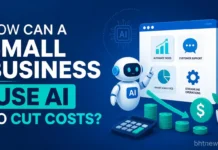






AI helps small businesses save money when it’s put to work on those boring, repetitive tasks: answering routine emails, bookkeeping, scheduling, first drafts of content, and simple data crunching so your people can focus on what actually needs a human touch.
The savings are real, but they’re not always consistent: some tools pay off almost immediately, others just limp along, and a few come with “surprise” expenses you didn’t plan for.
This guide breaks down where AI reliably saves small businesses money, what a realistic return looks like, and where hype leads you off track.
Table of Contents
Quick Takeaways
- AI cuts business costs best in customer support, bookkeeping/admin, scheduling, marketing content, and inventory or demand forecasting.
- The biggest savings come from automating repetitive tasks, not axing jobs altogether.
- Real ROI usually takes a few months and depends on how well the tool fits your workflow. Be skeptical of any tool promising instant or guaranteed savings.
- The safest way to try it: pick one task, run one tool, track what happens for 60–90 days, then decide if you want to expand.
Where Does AI Actually Cut Small Business Costs?
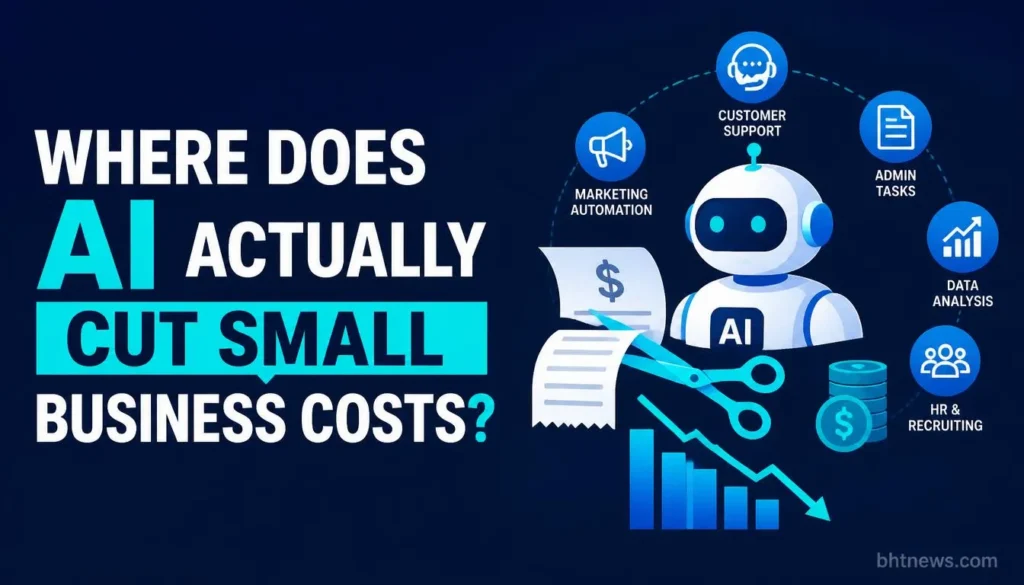
AI saves money by automating customer support, admin work, time scheduling, marketing content generation, and inventory forecasting.
The real trick is reducing the time spent grinding through repeats, not eliminating entire jobs. Now and then, AI goes further and changes how you run the business, but for most, it just chips away at busywork.
Here’s where the savings are most consistent:
| Category | Where the savings come from | What to measure |
|---|---|---|
| Customer support | Chatbots and help-desk assistants handle routine questions (order status, hours, returns policy), so fewer tickets need a person | Tickets handled by a person per week; wrong-answer complaints |
| Bookkeeping and admin | AI-assisted accounting tools categorize transactions, flag anomalies, and draft invoices, reducing manual entry | Hours of data entry per month; corrections needed |
| Scheduling and staffing | Tools match staff availability to predicted demand, reducing both overstaffing and last-minute scrambling | Overtime hours; unfilled shifts |
| Marketing content | AI drafts first-pass social posts, product descriptions and ad copy, cutting the time or freelance cost of routine content | Hours per piece; editing time; freelance spend |
| Inventory and demand forecasting | Forecasting flags reorder points and demand patterns, reducing stockouts and cash tied up in excess stock | Stockouts per month; inventory carrying cost |
| Email and document drafting | Assistants draft routine replies, proposals, and internal documents for a person to review and send | Drafting time per do |
If marketing content is your highest cost, our guide to evaluating AI SEO services before hiring an agency explains what to ask before paying for AI-assisted work.
Which Tools Are People Really Using?
Most of these categories have big, named platforms that are easy to compare. General AI assistants like ChatGPT, Claude, and Gemini can handle things like drafting, summarizing, and light data analysis, sometimes for free or very low cost. Once you know what task needs help, you can switch to something specialized.
Established tools like QuickBooks and Xero are adding AI for transaction sorting; Zendesk and Intercom use AI to route support tickets and suggest replies; Deputy and When I Work offer smarter scheduling. To connect different tools without custom code, most folks go straight to Zapier or Make.
Features and prices change fast, so use this as a starting point; always check the vendor’s site for current details before you sign up. If you’re thinking about outsourcing marketing instead, our agency guide breaks down how to find one, what it costs, and how to compare options.
How Does This Actually Play Out?
Here are some examples; these aren’t real businesses, but snapshots of how these tools can work day to day.
- Small retail shop: An AI chatbot answers “What are your hours?” and “Is this item in stock?” overnight, so the lone staffer doesn’t waste their morning replying to the same questions.
- Two-person accounting firm: AI-powered bookkeeping auto-categorizes transactions and flags weird ones, cutting down monthly account reconciling.
- Local service business: AI scheduling helps build next year’s staffing plan, so they avoid costly overtime caused by underestimating busy periods.
- Small e-commerce seller: Uses AI to draft product descriptions and social posts, then tweaks them instead of writing from scratch. Cuts content time roughly in half (by their own informal count), but your mileage may vary.
Thinking Honestly About ROI
Real ROI from AI is about hours saved and fewer mistakes, not wild percentage wins. Be wary of any fixed-savings claims with no explanation. Results vary a lot depending on your field, how much repetitive work you do, and how well the tool is set up.
The best way: track the task before and after, how long it takes, how often you have to fix errors, and weigh that against the tool’s monthly cost plus training time. If a tool doesn’t clearly save time or cut mistakes in two or three months, drop it and move on.
- Weekly time saved on the specific task × hourly wage
- Error/rework rate before and after; if the tool creates more mess, it’s not a money saver
- Learning curve staff time spent on ramping up, which delays savings
- Subscription/usage fees, including any costs that grow as your business scales
About Those ROI Numbers Everywhere Else
Google this topic and you’ll see $3.50 to $8 returned per dollar spent, 87% ROI by year two, etc. Most of these numbers come from vendor websites, vague “benchmarks,” or consulting firm case studies, not independent research.
They describe someone’s best-case scenario, not your reality. Treat any number you can’t trace to a real source as just a rough estimate, not a budgeting rule.
Where Can AI Adoption Backfire or Cost More?
AI tools can actually add costs when they’re a bad match, require unexpected oversight, or create expensive problems.
Here’s what to watch out for:
- Customer-facing AI gives wrong answers, leading to more support tickets or trust issues than you started with.
- Tools that look cheap at first but scale poorly; prices jump as usage or staff grows.
- AI-generated drafts need so much editing, they barely save time and sometimes create extra mistakes.
- Privacy risks if sensitive data is fed into a tool without checking where and how it’s stored.
- Staff doesn’t adopt the tool because there’s no training, and the “savings” never happen.
How Should a Small Business Start?
Don’t go all-in overnight. Start with one task that eats up a lot of staff time: a support inbox, invoice sorting, or scheduling.
- Pick a specific repetitive task, not everything at once.
- Choose a tool built for that job, and make sure its pricing fits your budget as you grow.
- Run it for two or three months, tracking time and error rates, including the time spent learning it.
- Check privacy before putting sensitive data in.
- Let the results decide if you want to expand, not the sales pitch.
Conclusion
AI cuts costs when you aim it at one clear, repetitive task and track real results, not when you slap it everywhere chasing big promises. Pick the workflow eating the most staff time, test a tool for a quarter, and let the hours saved tell you if it’s worth expanding.
Frequently Asked Questions
Can AI actually replace employees?
In most small businesses, AI shortens tasks; it doesn’t knock out whole jobs. Support inboxes need less staff time, not zero staff. Don’t believe pitches that promise AI as a full replacement; what you really get is freed-up hours.
How much does it cost to get started?
Most task-specific AI tools start at a reasonable monthly price, similar to other small-business software. Prices vary, and each vendor lists them on their site. Compare options based on your expected volume; don’t just take one average.
What’s the biggest mistake small businesses make?
Rolling out AI everywhere at once, without tracking results on a single task first. Start small, measure before-and-after, and catch problems early.
Is AI cost-cutting worth it for really small teams?
Depends. For solo or two-person businesses drowning in repetitive stuff (like inbox overload or bookkeeping), AI can save real time. If your work isn’t repetitive, there’s not much to gain yet.
Related BHTNews Coverage
- For marketing cost control, check Small Business Digital Marketing for a channel-by-channel breakdown.
- Thinking about bringing in outside help? Our guide to full-service marketing agencies covers what they do, how much they charge, and how to choose.