








If you need a video’s mouth movements to match new audio — a translated dub, a corrected line of dialogue, a cloned voice, or a talking photo built from a single image — you have more options in 2026 than at any point since this category existed.
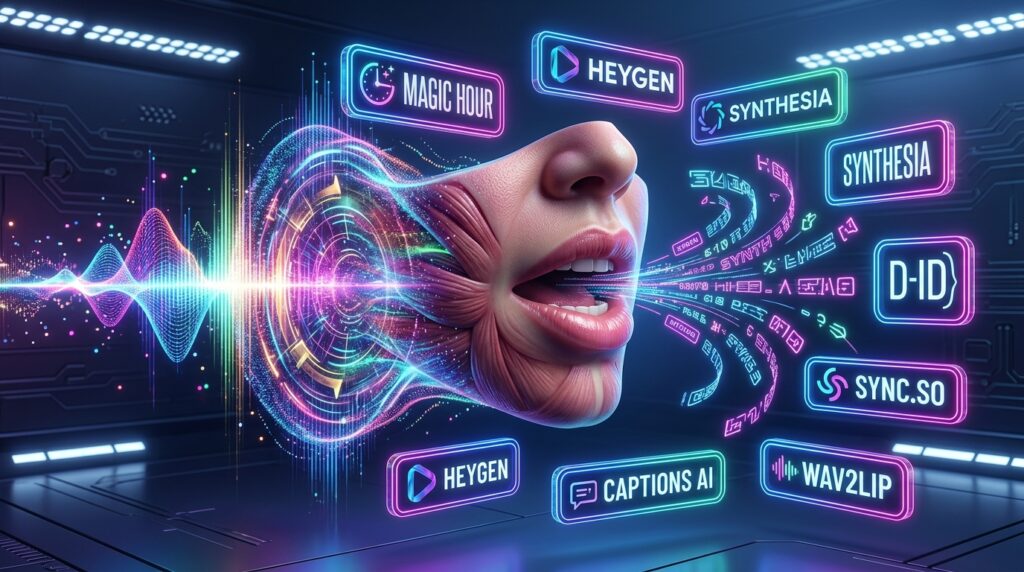
The hard part isn’t finding an AI lip sync tool. It’s finding one that’s actually accurate on faces that aren’t studio-lit, doesn’t buckle on longer clips, and doesn’t bill you into a corner once you’re past the free tier.
I put together this list by working through each platform’s product pages, documentation, sample output, credit systems, and public user feedback, then stress-testing the claims against actual pricing pages rather than marketing copy.
Below is where things landed, starting with the tool that’s currently the strongest all-around pick, followed by strong options for specific use cases: enterprise training video, translation-heavy dubbing pipelines, and pure API integration.
Quick answer: Magic Hour is the best overall AI lip sync generator in 2026 for most creators and teams — it pairs frontier-quality AI lip sync with a genuinely usable free tier, credits that never expire, and full API parity, all for less than most competitors charge for their entry-level plan.
Table of Contents
Best AI Lip Sync Tools at a Glance
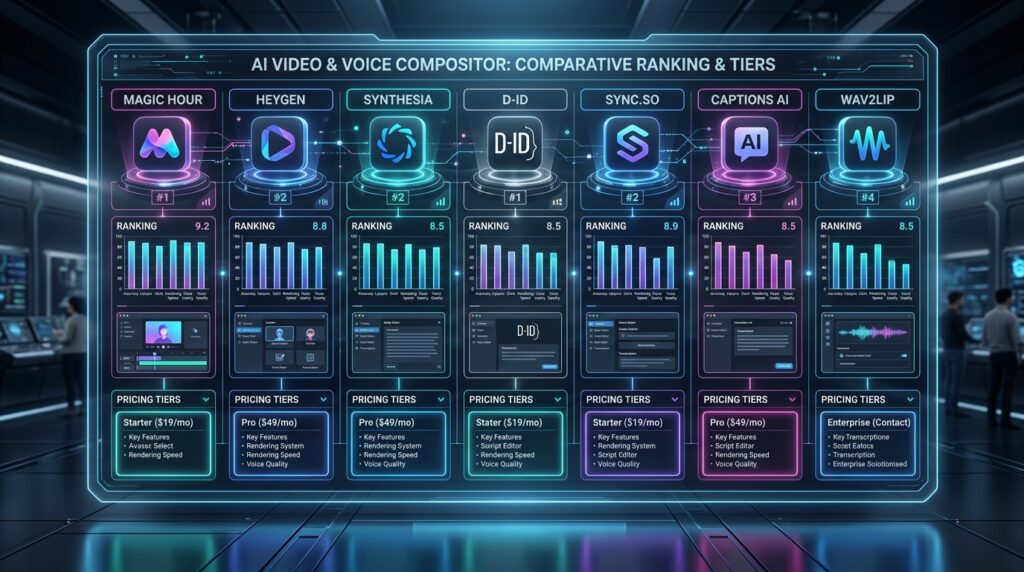
| Tool | Best For | Free Plan | Starting Price | API Access | Standout Feature |
| Magic Hour | All-around creators, agencies, developers | Yes, no signup | $12/mo (annual) | Full, same-tier | Generate → upscale → video workflows |
| HeyGen | Marketing avatars + multilingual dubbing | Yes, 3 videos/mo | $29/mo | Yes | 175+ language video translation |
| Synthesia | Enterprise training and compliance video | No | $18/mo | Yes (higher tiers) | SCORM export, corporate templates |
| D-ID | Talking photos, low-volume creators | Trial credits | ~$6–$29/mo | Yes | Simple per-15-second billing |
| Sync.so | Developers building lip sync into a product | Yes | $5/mo | API-first | Per-second billing, low latency |
| Captions AI | Mobile-first social content, AI Lipdub | Yes | $9.99/mo | Limited | On-device-feel mobile editing |
| Wav2Lip (open source) | Self-hosted, research, no-budget projects | Free (self-host) | $0 | N/A | Full control, no recurring cost |
1. Magic Hour
Magic Hour built its lip sync tool as one piece of a larger AI content suite that also covers face swap, talking photos, video upscaling, and image generation — and that combination is what separates it from single-purpose lip sync apps.
You can generate a lip-synced clip, run it straight through an upscaler, and export finished video without leaving the platform or re-uploading anything between steps.
Pros:
- No signup required to try the tool, so you can judge output quality before committing to anything
- Credits never expire — unused balance carries forward indefinitely instead of resetting monthly
- One-click, multi-step workflows chain lip sync with upscaling and other tools in a single pass
- Full API access with the same feature parity as the web app, on every paid tier
- Parallel generations with no concurrency cap on higher plans, useful for batch or agency work
- New models and features ship on a weekly cadence rather than quarterly
- Fast variation generation makes it easy to produce multiple takes and pick the best one
- Support responses come from the founding team directly, which shows in response quality
- Interface works cleanly on both desktop and mobile, not just as an afterthought
- Access to several frontier lip sync and video models under one subscription instead of juggling separate accounts
Cons:
- The breadth of tools (video, image, audio all in one place) means the interface has more surface area to learn than a single-purpose app
- Heaviest workloads (4K export, unlimited concurrency) require the Business tier
- Credit-based pricing takes a few minutes to understand relative to flat per-minute pricing
I’ve found that tools trying to do everything usually do lip sync as an afterthought. Magic Hour is the exception — the core sync quality holds up against dedicated single-purpose competitors, and the surrounding workflow (swap a face, sync the lips, upscale to 4K, done) is where it pulls ahead. If you’re choosing one platform to standardize a content pipeline on, this is hard to beat.
Pricing:
- Magic Hour offers a free plan with no credit card required.
- The Creator plan runs $19/month, or $12/month billed annually ($144/year), and includes roughly 1.7 hours of lip sync video generation per year at 1024px resolution, full API access, and watermark-free exports.
- Pro is $39/month (or $25/month billed annually) with about 3.5 hours of annual lip sync capacity at higher resolution and five concurrent generations.
- Business runs $99/month (or $66/month annually) with roughly 9.7 hours of lip sync capacity, 4K export, and unlimited concurrent generations.
- Credit packs are also available separately starting at $10, and those credits don’t expire either. Full details are on the Magic Hour pricing page.
2. HeyGen
HeyGen is built around AI avatars and video localization, and lip sync is the mechanism that makes both work — when it translates a video into a new language, the speaker’s mouth has to match the new audio, or the result looks obviously dubbed.
HeyGen’s translation-with-lip-sync feature covers 175+ languages and is one of the more widely adopted tools for this specific use case.
Pros:
- Video translation into 175+ languages with matched lip movement is genuinely strong for major language pairs
- Avatar generation (from a photo or short clip) is polished and widely used in marketing teams
- Free tier includes three videos per month, enough for a real evaluation
- Voice cloning is bundled into paid plans rather than sold separately
Cons:
- Credit consumption varies wildly by feature — a minute of premium avatar video can cost nearly seven times what a basic avatar video costs, which catches teams off guard
- Lip sync quality drops noticeably on less common languages
- Credits are forfeited if you cancel, with no rollover after that point
- Pricing climbs quickly once you need business-tier features like SSO or LMS integration
If translation is your primary use case and you’re working mostly in major world languages, HeyGen is a reasonable default.
If lip sync accuracy across many languages is the priority, budget time to test your specific language pairs before committing to an annual plan.
Pricing:
- HeyGen’s free plan allows three videos per month at 720p with limited translation credits.
- The Creator plan starts around $29/month (or roughly $24/month billed annually),
- Pro runs about $99/month
- Business starts near $149/month plus per-seat charges for additional team members.
3. Synthesia
Synthesia has built its reputation on corporate training and compliance video, and its lip sync is tuned for that context: clean, presenter-style talking-head footage rather than dynamic social content. It’s the platform most likely to show up in an enterprise L&D team’s stack.
Pros:
- Purpose-built templates for training, onboarding, and compliance video save real production time
- SCORM export makes it a natural fit for LMS-based teams
- Enterprise features (SSO, dedicated support, content review workflows) are mature
- Lip sync on studio-quality avatar footage is consistently clean
Cons:
- No free tier — you can’t test lip sync output without paying
- Feels over-built for casual or social-first creators who don’t need LMS integration
- Less flexible than competitors for anything outside the talking-head training format
Synthesia is worth considering if training and compliance video is your core use case and you already know you need enterprise features. For anything more casual, it’s more platform than most creators need.
Pricing:
- Synthesia’s Starter plan runs around $18–$29/month depending on the billing cycle.
- Higher tiers extend toward $69/month and up for teams needing more seats and export volume.
- Enterprise pricing is custom.
4. D-ID
D-ID built its name on turning a single photo into a talking, lip-synced video — the “talking photo” category that’s since become table stakes across the industry, but D-ID was early, and its output quality on static images is still a benchmark others get compared to.
Pros:
- Talking photo output from a single still image is a genuine differentiator
- Billing in 15-second credit blocks is easy to reason about for low-volume use
- Lite plan makes casual, personal-use projects cheap
- Agent and API products extend past simple video generation into interactive use cases
Cons:
- Free trial is limited, and the personal-use tiers carry a visible watermark
- Cost scales up quickly for commercial or higher-volume use — a single translated minute across two languages can burn through a mid-tier plan faster than expected
- Feature set is narrower than all-in-one platforms; you’ll likely need another tool for upscaling or broader editing
D-ID is a solid pick if talking photos specifically are your main use case and your volume is low to moderate. Heavier commercial use is where the credit math starts working against you.
Pricing:
- D-ID’s Lite plan starts around $5.90/month billed monthly for a small credit allocation with a watermark.
- The Pro plan runs roughly $29/month.
- Higher commercial tiers extend into the hundreds per month depending on video volume.
- Enterprise pricing is custom.
5. Sync.so
Sync.so (from Sync Labs) is a developer-first option — it skips the avatar and translation layer entirely and focuses on doing one thing well: syncing lip movement to a given audio track through an API, priced by the second.
Pros:
- Per-second, usage-based pricing makes cost predictable for developers building at scale
- API access starts on the lowest paid tier rather than being locked behind an enterprise plan
- Active speaker detection and batch API support production pipelines, not just one-off clips
- No forced bundling with avatar generation or translation you might not need
Cons:
- No avatar creation, translation, or broader editing tools — this is a single-purpose API, not a full platform
- Lower tiers cap video length and concurrency tightly, which matters for longer-form content
- Less useful for non-developers who want a visual editor rather than API integration
If you’re integrating lip sync into your own product rather than using a hosted app, Sync.so’s narrow focus and transparent per-second pricing make it one of the more developer-friendly options on this list.
Pricing:
- Sync.so’s entry Hobbyist tier starts around $5/month with per-second usage billing on top (roughly $0.025/second on lower tiers, dropping with volume discounts on higher plans).
- Higher tiers add team seats, more concurrency, and whitelabel output.
6. Captions AI
Captions approach lip sync from the mobile-creator angle. Its “AI Lipdub” feature lets you edit a video’s transcript and have the speaker’s mouth movement update to match — useful for fixing flubbed lines or adapting a video for a different audience without reshooting.
Pros:
- Mobile-native editing experience feels built for short-form social content, not adapted from a desktop tool
- AI Lipdub is genuinely convenient for script corrections after filming
- Bundles other creator-focused AI editing (eye contact correction, filler-word removal, noise cleanup) alongside lip sync
- Free tier is usable for testing core features
Cons:
- Feature set leans toward talking-head social content rather than broader video production
- API access is limited compared to developer-first platforms
- Higher tiers get expensive quickly relative to the volume of output they unlock
Captions is worth a look if you’re a mobile-first creator whose main need is fast script fixes and social-ready polish, rather than a broader production pipeline.
Pricing:
- Captions offers a free plan
- Pro starting around $9.99/month
- Max around $24.99/month
- Scale around $69.99/month, all billed per seat.
- Enterprise pricing is available on request.
7. Wav2Lip (Open Source)
Wav2Lip is the open-source option worth knowing about even if you never run it. It’s a research project that’s become the de facto baseline model that a lot of commercial lip sync tools are benchmarked against, and it’s still actively used by developers who want full control and no recurring subscription.
Pros:
- Completely free and self-hosted — no subscription, no per-minute billing
- Full control over the pipeline for developers comfortable with Python and GPU setup
- Well-documented and widely used, so troubleshooting resources are easy to find
- No data leaves your own infrastructure, which matters for privacy-sensitive projects
Cons:
- Requires real technical setup (roughly 8GB of VRAM, a working ML environment) — not an option for non-developers
- Output quality trails newer commercial and diffusion-based models on difficult angles or fast motion
- No support, no updates on a predictable schedule, no customer service if something breaks
If you have the technical background and want zero recurring cost, this is worth trying. For anyone who wants reliable output without managing infrastructure, a hosted tool will save more time than the subscription costs.
Pricing:
- Free
How I Chose These Tools
- I evaluated each platform against five criteria: output quality on real (non-studio) footage, pricing transparency relative to actual usage, whether a free tier lets you validate quality before paying, API access for teams building lip sync into a larger pipeline, and how clearly each company documents its own limitations rather than only its best-case demos.
- I weighted pricing pages over marketing pages specifically because credit systems in this category are easy to misrepresent — a tool that looks cheap on its homepage can turn out to charge five to seven times more for its best-quality output, which several platforms on this list do.
- When a company (like Magic Hour, which I work with) publishes its own comparison of this category, I cross-checked those claims against the same public pricing pages rather than taking them at face value, and adjusted anything that didn’t hold up.
The Market Landscape in 2026
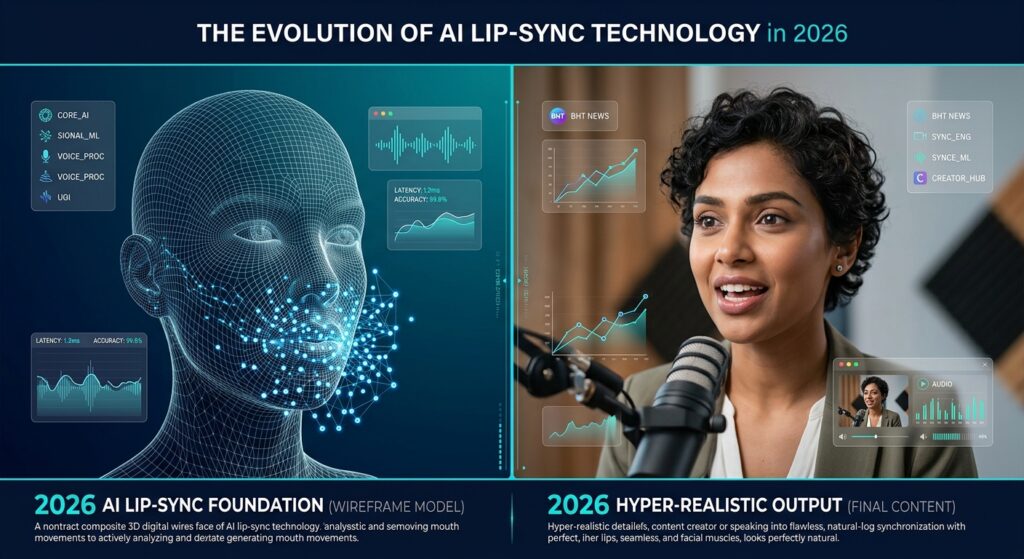
- Lip sync used to be a single-purpose category — you’d use one tool to swap a face and a completely different one to fix mouth movement. That’s converging fast.
- The clearest trend this year is bundling: platforms are folding lip sync into broader pipelines (face swap, upscaling, translation, avatar generation) because creators don’t want to manage five subscriptions and five sets of exported files to finish one piece of content.
- The second trend is pricing transparency becoming a competitive differentiator rather than an afterthought.
- Credit systems that obscure real cost per minute are getting called out publicly by users, and tools that publish clear, predictable pricing — flat per-second billing, credits that don’t expire, transparent per-feature costs — are winning trust in a category where “free trial” often means “watermarked and barely usable.”
- Worth watching: open-source diffusion-based sync models (successors to Wav2Lip like LatentSync) are closing the quality gap with commercial tools, which will likely push prices down across the board over the next year.
- Also worth watching is the API-first end of the market — tools like Sync.so that skip the consumer app entirely and sell pure infrastructure to developers building their own products.
Final Takeaway
For most creators, agencies, and startups who want one platform that handles lip sync alongside the rest of a video pipeline, Magic Hour is the strongest overall choice in 2026 — the combination of no-signup trial access, non-expiring credits, and full API parity at roughly $12–25/month is difficult for competitors to match at that price point.
If your primary need is multilingual video translation at scale, HeyGen is worth serious evaluation. If you’re building lip sync directly into your own product, Sync.so’s API-first, per-second pricing is the more natural fit. And if you have zero budget and real technical skills, Wav2Lip remains a legitimate option.
Whichever direction you lean, test with your own footage before committing to an annual plan — lip sync quality varies more by face angle, lighting, and language than any comparison article can fully capture. I’d bet at least one of these tools will fit what you’re building.
Frequently Asked Questions
What’s the most accurate AI lip sync tool in 2026?
Accuracy varies by footage type. For general-purpose video, Magic Hour and HeyGen both perform well on clear, front-facing footage. For taking photos from a single still image, D-ID remains a strong benchmark. Testing your own source material is the only reliable way to compare, since lighting and camera angle affect every model differently.
Is there a free AI lip sync tool?
Yes. Magic Hour, HeyGen, D-ID, Captions, and Sync.so all offer some form of free access, though limits vary — Magic Hour is notable for not requiring signup to try its core lip sync tool at all. Wav2Lip is free if you’re willing to self-host it.
Can I use AI lip sync for video translation?
Yes, this is one of the category’s biggest use cases. HeyGen and Magic Hour both support lip sync as part of translation and dubbing workflows, matching mouth movement to newly translated or dubbed audio so the result doesn’t look obviously overdubbed.
Do these tools work on mobile?
Most do, though quality varies. Magic Hour and Captions AI are both built to work cleanly on mobile as well as desktop. Developer-first tools like Sync.so are API products rather than consumer apps, so “mobile support” depends on what you build with the API.
How much does AI lip sync typically cost?
Entry-level paid plans across this list range from about $5/month (Sync.so, D-ID Lite) to $29/month (HeyGen, Synthesia). Magic Hour’s Creator plan, at $12/month billed annually, sits toward the lower end of that range while including broader tool access beyond lip sync alone. Free tiers exist across most of the category but usually come with watermarks, low resolution, or tight usage caps.