













HR teams rely on more software than ever to manage recruiting, onboarding, employee records, and payroll. An HR.com study found that 68% of companies use between two and seven separate HR solutions. More than 30% said their HR apps lacked good integration.
This growing mix of apps becomes a problem when they don’t share employee data reliably. HR may update a record in one app while payroll, benefits, or IT continue working with outdated information in another. The result is duplicate manual entry, payroll corrections, onboarding delays, and hours spent figuring out which system has the right data.
HR workflow automation keeps employee data moving between systems without tedious manual data entry delays. Automation means fewer errors, faster processes, and an HR operation that keeps up as your business grows.
Table of Contents
What Is HR Workflow Automation?
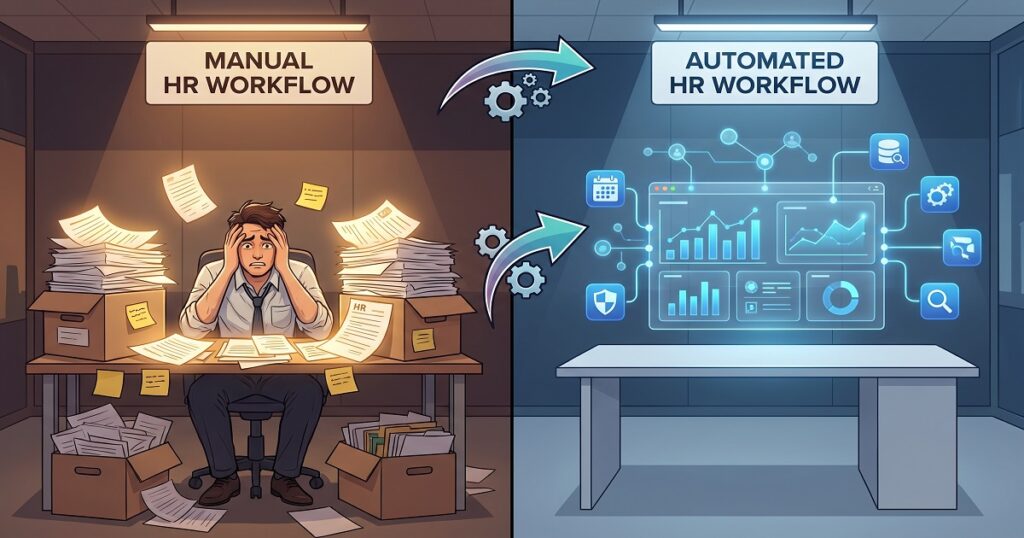
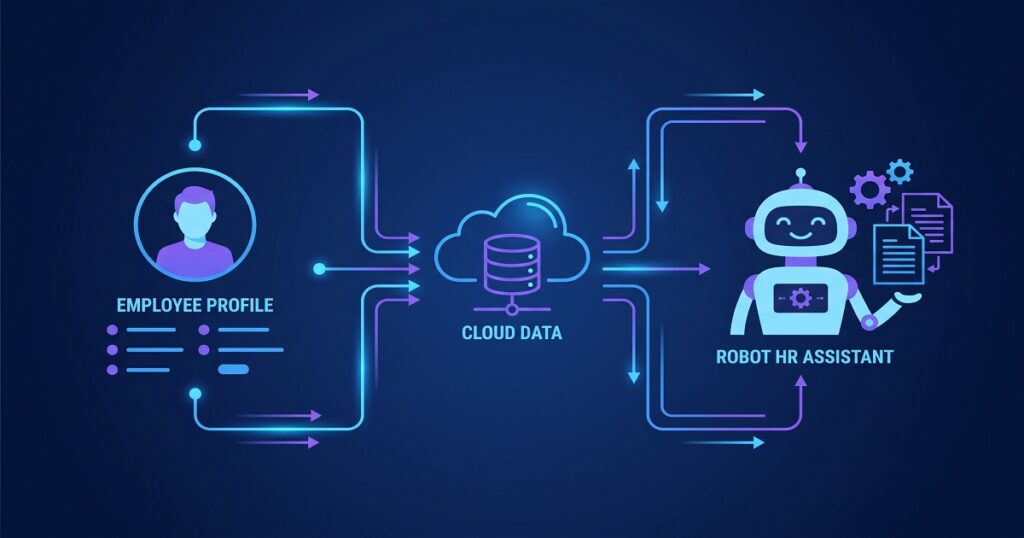
HR workflow automation uses predefined rules to move employee data and trigger actions across business systems. For example, when a recruiter marks a candidate as hired in an applicant tracking system, an automated workflow can send the new employee’s information to the HRIS, payroll platform, benefits system, and access management app.
The data can also be validated, reformatted, or matched to each destination system’s requirements. Workflow automation frees HR teams from manually copying the same information between systems.
HR spends less time maintaining records, and payroll receives accurate updates sooner. Finance gains faster access to payroll data, while IT can control accounts with fewer manual requests.
Here are the top signs your manual HR workflows are ripe for automation.

1. Employee Data Is Entered Into Multiple Systems
Entering the same employee data into several apps flings the door open to errors. Each time someone retypes a name, address, department, or tax detail, they may enter it differently, skip a field, or use outdated information.
Duplicate entry also wastes time. HR may enter a new hire into the HRIS, while payroll, benefits, finance, and IT teams repeat parts of the same process in their own systems. When those records don’t match, teams spend valuable time tracking down and fixing the differences.
When HR updates employee information in the main system, workflow automation sends the change to every connected app, so all data is synced, and everyone works from the same record.
2. Payroll Corrections Happen Every Pay Period
Repeated payroll corrections often point to a broken workflow. Common causes include outdated pay rates, missing new hire data, incorrect departments, and employee updates that never reach payroll.
Timing matters as much as accuracy. HR may update an employee record correctly, but payroll can’t use that information if the change arrives after the payroll cutoff.
Automated integrations send approved employee changes to payroll on a scheduled or near real-time basis. Workflow automation also validates required fields before the data reaches the payroll system.
3. Onboarding Takes Days Instead of Hours
Manual onboarding often gets slowed down by emails, spreadsheets, and manual handoffs. HR, payroll, IT, and managers each wait for the information they need — these delays leave a new hire in limbo from day one.
Automated onboarding workflows can begin as soon as a manager confirms a new hire. Employee data then moves from recruiting to the HRIS and payroll systems without duplicate entry. Workflow automation also triggers account setup, benefits enrollment, training, and more.
The payoff goes beyond saving administrative time. New employees get the access and information they need sooner, which helps them become productive immediately and creates a smoother first-day experience.
4. Reporting Requires Spreadsheet Cleanup
Disconnected systems often format the same data differently. When managers need a workforce or payroll report, someone has to export files, fix inconsistent or duplicated spreadsheet data, and decide which records are current.
Manual processes slow reporting and often lead to errors. Automation maps fields, translates values, and applies the same business rules when data moves between apps. HR and finance teams get clean, reliable reports without rebuilding the same spreadsheet every month.
5. HR Teams Spend More Time Updating Records Than Supporting Employees
HR teams should focus on improving workforce planning, employee development, retention, compliance, and the employee experience. Instead, many teams spend hours each week manually updating records.
New hires, employee changes, transfers, and department updates all need attention. Each task seems small, but the workload quickly adds up across hundreds or thousands of employees. This repetitive work leaves less time to answer employee questions, analyze workforce trends, or improve HR programs.
Workflow automation takes repetitive data updates off HR’s plate without removing the reviews and approvals that protect processes. HR stays in control of every important decision while connected systems handle the routine work.
Automation gives HR teams more time to answer employee questions, improve the employee experience, and focus on initiatives that deliver real business value.
6. Finance Waits on Payroll Data
Payroll work continues long after employees get paid. Finance still needs payroll data for the general ledger, cost allocation, reconciliation, reporting, and month-end close. In many companies, payroll teams export files, clean up spreadsheets, and build journal entries by hand.
When payroll data arrives late or in the wrong format, finance has to wait before it can finish the close. A payroll-to-ERP integration can turn payroll results into properly formatted journal entries and send them directly to the financial system.
This automated workflow applies account mappings, cost center rules, department codes, and other requirements before the data reaches the ERP. Finance gets cleaner data sooner and can close the books faster with fewer corrections.
7. Every New Software Application Creates More Manual Work
As a business grows, new apps and systems often follow. But new software should solve a problem, not create more manual work. Every disconnected app adds another place where employee data is manually entered, updated, checked, and corrected. Without an integration strategy, manual work grows right along with the added systems.
Quick point-to-point fixes may work for a while, but they become harder to manage. A field change, new business rule, or software update can disrupt several connected processes. Scalable integrations create a stronger foundation by moving data through consistent rules, documented workflows, and monitored processes.
Automated workflows across systems also make growth easier. Companies can add employees, locations, business units, or new apps without adding the same amount of manual work.
Best Practices for Automating HR Workflows
Focus on High Impact Workflows: Start with the workflows that cause the most errors, delays, or repeated data entry. New hires, transfers, employee updates, payroll journal entries, and terminations often deliver the clearest early wins. Map the process before choosing a solution. Identify where the data starts, which systems need it, who approves changes, and what should happen when a record fails validation.
Prioritize Data Quality: Automation can move data faster, but it can’t fix unclear ownership or inconsistent rules. Data quality matters just as much as speed. Define which system owns each field, then standardize values for departments, locations, employee status, and cost centers. Add validation rules before data moves downstream.
Choose Solutions That Scale: A workflow built for 200 employees may need stronger monitoring, scheduling, and exception handling when the workforce reaches 2,000.
Measure Improvements: After launch, track payroll corrections, onboarding time, reporting work, support tickets, and delays in employee access. The best automation projects improve efficiency, increase accuracy, and create a consistently smooth employee experience.
Closing Thoughts
Manual HR workflows struggle to keep up as a business grows. More employees, systems, and locations create more data to manage. Manual workflows lead to duplicate entry, payroll fixes, onboarding delays, spreadsheet cleanup, and friction across teams.
HR workflow automation replaces those inefficient handoffs with connected, reliable processes. Start with the workflows your teams repeat every week or every pay period. The ones that take the most time, create the most errors, and demand the most cleanup usually offer the best place to begin.