













Grok video moderated actually covers two completely different problems: a content block, where Grok’s safety filters rejected your prompt or output, and a moderation service error, where the safety check itself failed to run at all.
They need different fixes, and using the wrong one wastes your time.
Here’s how to fix grok video moderated error messages fast, whichever type you’re facing.
Table of Contents
Quick Answer
- Message says “video is moderated” or references sensitive content → it’s a content block. Reword your prompt (see the fix below).
- Message says “error calling moderation service” → it’s a technical failure. Check status.x.ai, then retry — don’t reword anything.
- Video stalls or fails around 95% → it’s almost always the output-stage scan on the finished render, not your original prompt.
What Does Grok Video Moderated Actually Mean?
Grok video moderated means Grok’s safety system flagged something during your video generation — but that phrase gets used loosely for two genuinely different situations that only look similar on the surface.
- A content block: Grok reviewed your prompt or the generated video and actively refused it for violating a safety policy
- A moderation service error: the safety check itself failed to complete, so Grok couldn’t confirm your content was safe either way
Every major Grok generation request — image, video, or chat — runs through this same safety layer.
For video specifically, the xAI API even returns a field called “respect_moderation” on a completed request, confirming moderation is a built-in step of the pipeline itself, not an optional add-on.
Content Block vs. Moderation Service Error: What’s the Difference?
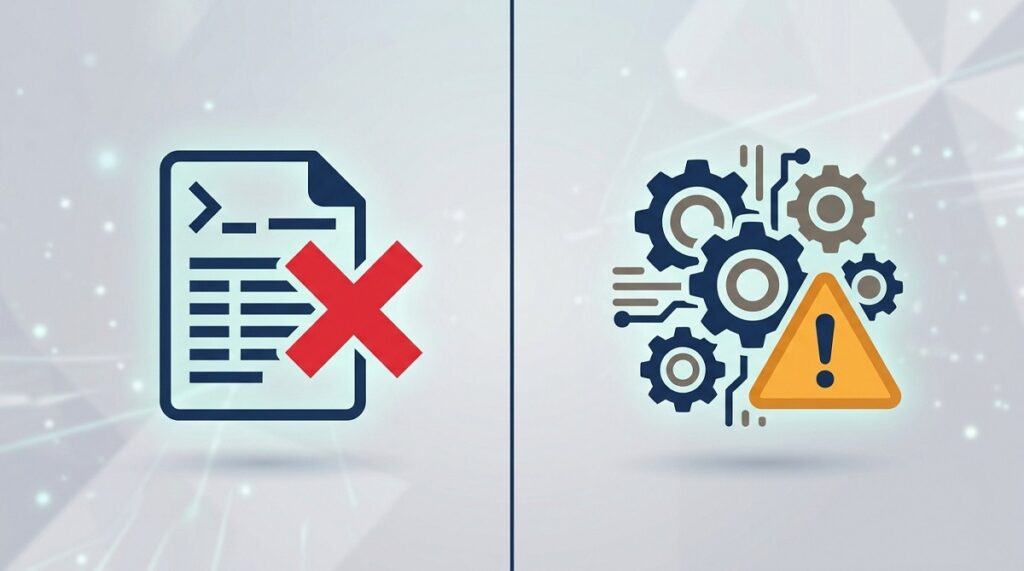
The fastest way to tell these apart is the exact wording of your error: a content block usually says your video or prompt “is moderated” or was “blocked,” while a service error specifically says something like “error calling moderation service.”
| Content Block | Moderation Service Error | |
| What happened | Grok reviewed your prompt/video and rejected it | The safety check itself failed to run or complete |
| Typical message | “Video is moderated” / “sensitive content” | “Error calling moderation service” |
| Root cause | Flagged wording, imagery, or a real person’s likeness | Server load, network issues, browser/app bugs, VPN routing |
| Right fix | Rewrite the prompt more neutrally | Check status.x.ai, then retry, refresh, or wait |
| Retrying the same input | Won’t help until you change the prompt | May work once the underlying issue clears |
Why Does Grok Video Fail at 95 Percent?
Grok video failing at 95 percent, or stalling anywhere near completion, is almost always the output-stage moderation check — the step that scans the finished video frame by frame, which only happens after the video is fully rendered.
- Grok’s moderation pipeline runs in two stages: an input check on your text prompt before generation starts, and an output check on the finished video after it’s rendered
- The output check for video is more involved than for a still image — it analyzes motion and content across multiple frames over time, not just one static frame
- Because that frame-by-frame scan only runs on a completed render, a failure at that stage shows up late in the progress bar, near the very end — which is exactly the “failing at 95 percent” symptom
- Typical Grok video generations complete in 1–4 minutes according to orchestration documentation, so a failure that lands right at the tail end of that window is consistent with an output-stage check, not an input-stage rejection
In practice, this means a 95% failure is more likely to be a content flag on the generated footage itself (something in the motion or a frame triggered the filter) than a problem with how you phrased the original prompt.
How to Fix a Grok Video Content Block (Sensitive Content Error)
If your message mentions sensitive content specifically, you’re looking at a content block, not a technical fault — fixing a sensitive content error on Grok means changing what you’re asking for, since Grok’s filters scan both your prompt and the finished output for the same categories of flagged content.
- Identify likely trigger categories in your prompt: NSFW or suggestive content, real people (especially anything resembling a deepfake), graphic violence or gore, and copyrighted characters or logos.
- Reword harsh or explicit language into neutral, descriptive phrasing that keeps your original idea intact.
- Watch for keyword false positives — innocent phrases can occasionally trip the filter (the kind of overly literal keyword matching that flags things like “shooting stars”), so try a slightly different phrasing of the same concept.
- If a video specifically fails near the end (the 95% pattern), the issue is more likely in the motion or a specific frame than the prompt — try simplifying the action or scene rather than just rewording nouns.
- Avoid repeatedly resubmitting the same prompt — an unchanged input will hit the same filter the same way every time.
How to Fix “Error Calling Moderation Service” on Grok
Fixing a moderation service error starts with confirming whether it’s actually a wider outage, since no local fix will help if xAI’s safety-check service is down or overloaded on their end.
- Check status.x.ai first — xAI’s official status page lists Grok Web, iOS, Android, X integration, and API separately, so you can confirm whether the issue is on their side before troubleshooting locally.
- If status.x.ai shows everything operational, refresh the page or restart the app, then retry the same request once.
- Clear browser cache or the app’s local session data if a refresh alone doesn’t help — a stale session can interfere with the request reaching the moderation service correctly.
- Turn off any VPN and check your connection — unusual routing or a weak connection can cause the moderation call to time out before it completes.
- If it’s a genuine outage or heavy load, wait rather than repeatedly retrying or reinstalling — save your prompt and try again later instead of clearing cookies and re-authenticating multiple times in a row.
Grok Video API Errors: A Developer’s Quick Reference
If you’re calling the Grok video API directly rather than using the consumer app, the error and status codes are more specific and point to a clearer fix than the consumer-facing messages do.
| Error / Status | Meaning | Fix |
| status: “failed” | Video generation did not complete successfully | Check the failure reason field if available, then retry or adjust the prompt |
| reason: “no_provider_available” | No Grok worker was available to process the job | Retry shortly — this is capacity-related, not content-related |
| reason: “blocked” | Rejected under xAI’s content policy | Don’t resubmit the same input — revise the prompt |
| 403 model_access_denied | Your API token doesn’t have access to the video model | Confirm your account/token has access to grok-imagine-video |
| 429 rate_limit_exceeded | Too many requests sent in a short window | Wait and reduce request frequency before retrying |
| 402 insufficient_quota | Account balance or quota is too low | Top up your account before retrying |
| status: “expired” | The request wasn’t retrieved in time | Resubmit the request; fetch results sooner next time |
This table is organized by the actual field names and reason codes xAI’s video API and third-party orchestration layers return, so a developer can match an error directly rather than guessing from a vague consumer-app message.
Conclusion
This Grok AI video moderation fix comes down to one diagnostic step: figure out which of the two errors you actually have before you touch anything. Grok video moderated isn’t one error — it’s two, and telling them apart is the fastest way to actually fix what’s in front of you. A content block needs a different prompt; a moderation service error needs a status check and a little patience, not a rewrite.
Last updated: September 2026, based on xAI’s current API documentation and status reporting — error behavior on fast-moving AI tools can change, so check status.x.ai directly if this guide is more than a few months old when you’re reading it.
Run into another confusing AI error message? Follow BHTNews for more plain-language AI troubleshooting guides as new tools and their quirks keep showing up.
Frequently Asked Questions
Is a Grok moderation error the same as a permanent ban?
No. Both a content block and a service error affect that specific generation request only — neither one is the same as an account suspension. A moderation service error in particular is often a technical failure that has nothing to do with your account standing.
Why does my Grok video fail near the end instead of right away?
Video moderation runs a frame-by-frame check on the finished render, which only happens after generation completes — so a failure at that stage shows up late in the process, often around 95%, rather than immediately when you submit the prompt.
Will rewording my prompt fix “error calling moderation service”?
Usually not. That specific message means the safety check failed to run or complete, which is typically a technical issue (server load, network, session) rather than a content problem — check status.x.ai and retry instead of rewriting the prompt.
What’s the safest way to avoid Grok video content blocks?
Use clear, neutral, descriptive language, avoid real people’s likenesses, graphic or sexual content, and copyrighted characters, and keep the described motion or action simple enough that a frame-by-frame scan has less to flag.