



| Quick Answer |
| For meetings, use Otter or Fireflies. For interviews and lectures, TurboScribe or Sonix handle uploaded files well. For the cheapest accurate transcript and some technical skill, OpenAI’s transcription API costs about 36 cents an hour. For recordings that must be right, such as legal or medical audio, pay for human review on top. For 10 hours of audio a month, list prices run from under $5 to about $960 depending on the route. |
The best AI transcription software is the one that fits your audio and your privacy needs, because even the weakest tools now get most words right. Wirecutter found in its testing that the least accurate AI service it tried was 94% accurate, up from 73% in 2018.
What separates tools is speaker labels, summaries, price caps, file limits, and what the company does with your recordings.
This guide matches tools to the job, prices the same 10 hours of audio across nine routes, and covers recording-consent rules most roundups skip. Prices were checked in November 2026, where a source was available.
How this was built: the three hands-on reviews in the SERP (Wirecutter, Zapier, Media Copilot) supplied the test findings, and prices come from dated third-party pages listed under Sources. None of the tools was tested by the author of this article.
Table of Contents
Which AI Transcription Software Fits Which Job
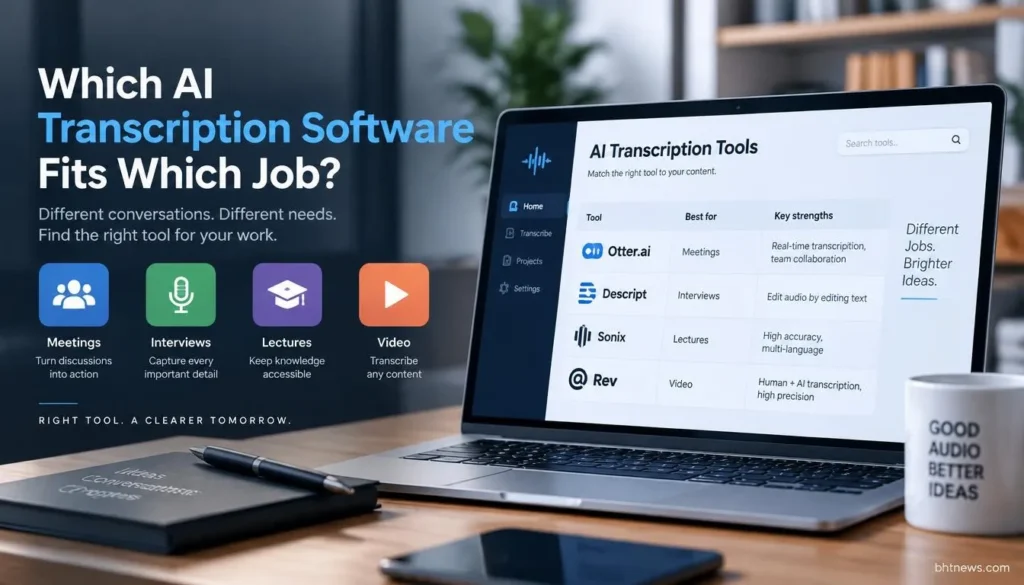
| Your Situation | Start with | Why |
| Meetings on Zoom, Meet or Teams | Otter, Fireflies or Fellow | Built to join calls and write summaries and action items |
| Interviews and uploaded files | Sonix, TurboScribe or Good Tape | Strong on file uploads; Good Tape stores nothing by default, per Media Copilot |
| Lectures and classes | TurboScribe, Otter, Google Pinpoint | Free tiers and long-file support; check caps below |
| Video to text and editing | Descript | Edits video by editing the transcript |
| Podcast show notes and content | Castmagic, Riverside | Turns transcripts into posts and notes, per Zapier |
| Developers and bulk batches | OpenAI transcription API | Lowest per-minute price; needs code |
| Legal or medical audio | AI first draft plus human review | Services like GoTranscript add human checks, per Wirecutter |
If your recordings come from online calls, our guide to video conferencing covers the platforms that most tools plug into.
How Accurate is AI Transcription?
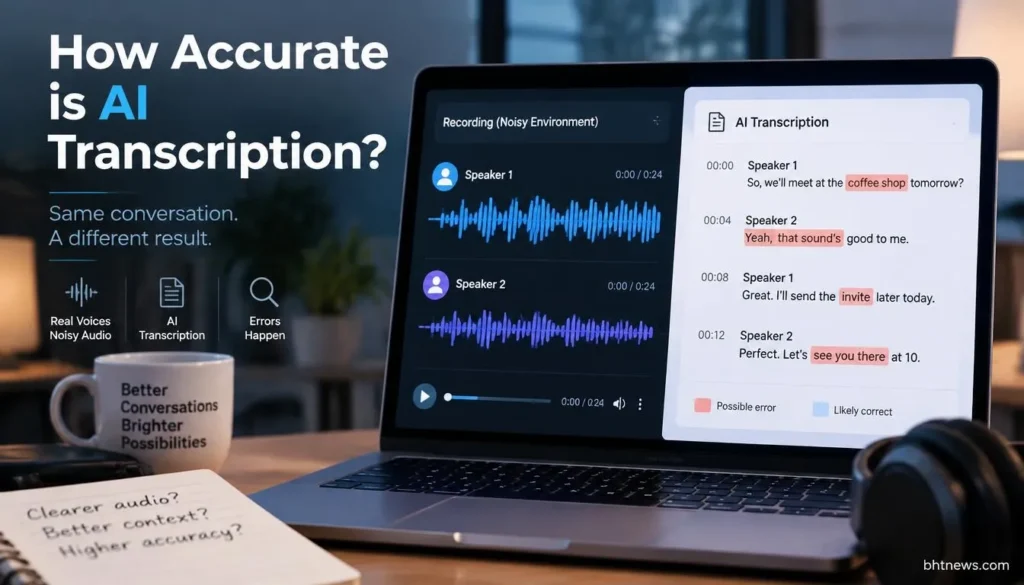
Accurate enough for most work, with a gap on hard audio. Wirecutter, testing 15 services in the supplied file, reports human transcripts over 99% accurate, GoTranscript’s AI output at 98.9%, and Vook.ai above 98%.
Its testers also found odd failures: “1.82%” came back as “1.8199999999999998%” from one service, and “AI” was written as “AGI.” Those are small numbers on short clips, tested by one team, so treat them as a guide to the range, not a guarantee.
Media Copilot’s tests used three 10-minute files: a clean two-person call, a low-quality phone recording, and a noisy press gaggle with many speakers and difficult names.
It rated Sonix highest on accuracy and Otter and Good Tape one star below. Ratings like these are editorial, not word-error-rate measurements, and neither review published error rates for each tool.
What lowers accuracy in practice:
- Crosstalk and overlapping speakers.
- Background noise or a distant microphone.
- Names, jargon, and numbers the model hasn’t seen.
- Accents and mixed languages.
A good microphone placed near the speaker helps more than switching tools.
The Tools Compared
Prices are US dollars, from the dated pages in Sources. Several are written by competitors of the tool they describe, flagged in the last column, so confirm on the vendor’s page before buying.
| Tool | Price | Free Option and Limits | Source Note |
| Otter | Pro $8.33 annual or $16.99 monthly; Business $19.99 or $30 | 300 minutes a month, 30 minutes per conversation, 3 lifetime imports | Castmagic, a rival |
| Fireflies | Pro $10 annual or $18 monthly; Business $19 or $29 | Unlimited transcription; 400 minutes of storage per team | Castmagic |
| Sonix | Core $25 monthly (5 hours); Advanced $50 (20 hours); pay as you go $10 an hour | 30-minute one-time trial | Competitor page; Media Copilot lists $22 plus $5 an hour |
| Rev | AI $0.25 a minute; human $1.99 a minute; Zapier lists plans from $25.49 per user | 45 AI minutes a month, per one source | Sonix page; sources differ |
| TurboScribe | Unlimited: $10 annual or $20 monthly | 3 transcriptions a day, 30 minutes each | Competitor page |
| Notta | Pro $8.17 annual or $13.99 monthly | 120 minutes a month, recordings up to 3 minutes | Sonix page |
| Good Tape | About $16.85 to $16.95 a month | Not verified | Media Copilot, internal conflict |
| GoTranscript | Human from $1.60 a minute for one-day turnaround | Free preview of first two minutes of AI text | Wirecutter, undated in file |
| Vook.ai | 5 cents a minute (about $3 an hour) in time blocks | Not verified | Wirecutter |
| Descript | Hobbyist $16 annual or $24 monthly | 60 minutes a month, watermarked 720p | Castmagic |
| OpenAI API | $0.006 a minute (whisper-1 and gpt-4o-transcribe); $0.003 for the mini model | No free tier verified; 25 MB and 25 minutes per request | ConvertAudioToText |
Google Pinpoint is free and aimed at journalists, but Media Copilot rates its accuracy lower than the paid tools and notes human reviewers may access sample data. Fellow starts at $11 a month for 10 meetings, per Wirecutter.
Notes on Each Tool
Otter: Meetings With Decent File Upload
Otter joins Zoom, Meet, and Teams, produces summaries with links back to the transcript, and extracts action items. Media Copilot rated it best all-around for journalists. Two catches: the free plan caps conversations at 30 minutes and Pro at 90, so long lectures can hit the limit before your monthly minutes do. Media Copilot also says Otter uses customer data to train its AI, with an opt-out available.
Fireflies: Free Unlimited Transcription, With Limits Elsewhere
Fireflies’ free plan allows unlimited transcription and AI summaries, with storage capped at 400 minutes per team and 20 AI credits, per Castmagic. That suits light meeting use. Heavier users should check which features sit behind paid credits.
Sonix: Accuracy and Editing, At a Higher Price
Sonix topped Media Copilot’s accuracy ratings and offers filler-word control, adjustable summaries, and export to video editors. Its weakness is price: Media Copilot calls it the highest cost of the tools it tested. Plans are metered in hours, so going over means upgrading.
TurboScribe: Simple Uploads At a Flat Price
TurboScribe’s paid plan advertises unlimited transcription for $10 a month on annual billing, with file limits of 10 hours or 5 GB. It’s a common pick for lectures and backlogs. This pricing comes from a competitor’s page, so verify it.
Rev: AI Plus Human Options
Zapier picks Rev for AI and human workflows, with a human review add-on for 99% accuracy. Prices vary between sources, so get a quote for your volume.
Good Tape: Privacy First
Media Copilot says Good Tape processes audio on EU servers, deletes recordings by default, and doesn’t train its AI on customer files. It lacks a mobile app and has fewer features. Those are the company’s claims as reported by the reviewer.
GoTranscript and Vook.ai: Wirecutter’s Picks
Wirecutter chose GoTranscript for the most accurate human transcripts and Vook.ai for fast, cheap AI transcripts. Vook.ai is built on OpenAI’s Whisper, has fewer editing features, and struggles more with crosstalk.
Descript: For People Who Edit Video
Descript edits audio and video by editing text. Media Copilot found it overkill for plain transcription, with weaker accuracy on names. If you edit podcasts or videos, that’s the point of it.
Notta, Alice, Voicenotes, Wispr Flow
Notta has a low-cost Pro plan; Alice sells pay-as-you-go hours from $9.99 an hour; Voicenotes runs on seven platforms including a smartwatch; Wispr Flow types by voice into any app. Alice, Voicenotes, and Wispr prices come from Zapier’s guide.
For broader business AI platforms beyond transcription, see our guide to enterprise AI tools.
Free AI Transcription: What the Limits Are
Free plans work for occasional audio. These are the caps from the pages above:
- Otter: 300 minutes a month, 30 minutes per conversation, and three file imports for the life of the account.
- TurboScribe: three transcriptions a day, up to 30 minutes each.
- Fireflies: unlimited transcription, 400 minutes of storage per team.
- Notta: 120 minutes a month, with recordings capped at 3 minutes, per a competitor’s page.
- Descript: 60 minutes a month with watermarked video export.
- Google Pinpoint: free, lower accuracy.
So, is Otter better than TurboScribe? For live meetings, yes: Otter joins calls, and TurboScribe is built around uploaded files. For a pile of recordings, TurboScribe’s flat price and file limits may fit better. Neither review tested them head-to-head.
If you also need subtitles or video clips from your transcripts, our list of free AI tools for video creation may help.
What 10 Hours of Audio Costs
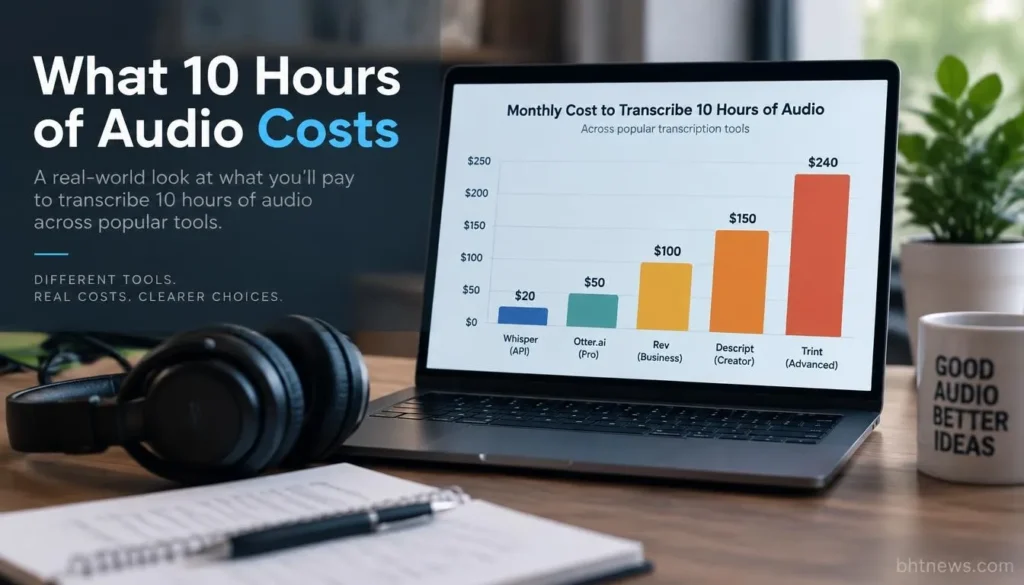
A hypothetical workload: 10 hours (600 minutes) of audio a month. This uses list prices above, annual billing where stated, and ignores taxes, add-ons, and caps such as per-conversation limits. It’s an illustration, not a quote.
| Route | Arithmetic | Monthly Total |
| OpenAI API (whisper-1) | 600 x $0.006 (requires code; 25-minute request cap) | $3.60 |
| Notta Pro, annual | Flat plan, 1,800 minutes included | $8.17 |
| Otter Pro, annual | Flat plan, 1,200 minutes included | $8.33 |
| TurboScribe Unlimited, annual | Flat plan | $10.00 |
| Fireflies Pro, annual | Per seat | $10.00 |
| Vook.ai | 10 hours x $3 | $30 |
| Sonix Advanced | Monthly plan, 20 hours included | $50 |
| Rev AI | 600 x $0.25 | $150 |
| GoTranscript human, one-day | 600 x $1.60 | $960 |
The spread is the point. Subscription tools are cheap at this volume, but each limits file length or features. Human transcription costs about 300 times the API route, and that gap is what you pay for when accuracy matters.
Can ChatGPT Transcribe Audio?
Yes, in some forms. ChatGPT’s Record feature, per OpenAI’s help page, is available on Plus, Pro, Business, Enterprise, and Edu plans, but only in the macOS desktop app. It shows a live transcript with speakers, caps sessions at four hours, and says audio is deleted after transcription. Transcript retention follows your workspace settings. For uploaded files and bulk work, OpenAI sells its transcription models through the API at the prices above. Check current plan details, since features change.
Privacy and Recording Consent
Two questions matter before you upload a recording. This is general information, not legal advice, and it covers US law only.
First, did everyone agree to be recorded? The federal Wiretap Act sets a one-party-consent baseline, so recording is allowed if at least one participant consents. According to a Rev explainer from November 2025, 11 states require all-party consent: California, Delaware, Florida, Illinois, Maryland, Massachusetts, Montana, Nevada, New Hampshire, Pennsylvania and Washington. Connecticut, Michigan and New Jersey have situational rules.
Rules differ for calls that cross state lines, and outside the US the rules differ again, so tell participants and get consent when in doubt.
Second, what does the tool do with the audio? Look for:
- Whether the vendor trains its AI on your recordings and whether you can opt out. Media Copilot says Otter does, with an opt-out, and Good Tape says it doesn’t.
- How long audio and text are stored, and whether you can delete them.
- Where the data is processed, and whether you need HIPAA or GDPR terms. Wirecutter notes GoTranscript is HIPAA-compliant and stores audio for seven days, and Good Tape says it uses EU servers.
- Whether human reviewers can see samples. Media Copilot says this may apply to Google Pinpoint.
For confidential interviews, medical details, or client calls, read the vendor’s data terms before you upload anything.
When You Still Need a Human
The Reddit question in the SERP comes from someone with audio recordings to use in court who wants speaker names. AI gives a fast draft, but a transcript for legal use usually needs a person to check it against the audio, and in some cases a certified transcriber.
Ask the court or your lawyer what is required. The same applies to medical records and anything where one wrong word changes the meaning.
As for whether AI will replace transcriptionists, the US Bureau of Labor Statistics projects employment of medical transcriptionists to fall 4 percent between 2025 and 2035, from about 42,000 to 40,200, and cites speech recognition as a reason. That’s one narrow occupation, but it shows the direction. Human work is shifting toward review and editing of AI drafts.
How to Test a Tool on Your Own Audio
Rankings can’t tell you how a tool handles your accent, your jargon, or your room. A quick test can.
- Pick a 5-minute clip that includes your hardest parts: names, numbers, two speakers talking over each other.
- Run it through two or three free plans or trials.
- Count the errors that change meaning, not filler words.
- Check speaker labels, timestamps, and export formats you need.
- Read the privacy and retention terms for the winner.
- Only then choose a paid plan, and check the file-length and monthly caps against your real volume.
Conclusion
The best AI transcription software depends on your audio. Pick a meeting tool for calls, an upload tool for interviews and lectures, the API if you can code, and a human for anything that must be right. Accuracy is high across the board now, so decide on caps, privacy terms, and price at your own volume, and test one real recording before you pay.
Your next step: take a 5-minute clip of your hardest audio, run it through two free plans, and compare the meaning-changing errors. For more AI tool guides, browse BHTNews.
This article is general information, not legal or financial advice. Prices change often, so confirm each figure on the vendor’s page before you buy.
Frequently Asked Questions (FAQs)
What is the most accurate transcription software?
Human-reviewed services come first: Wirecutter reported human transcripts over 99% accurate in its tests. Among AI-only tools, Media Copilot rated Sonix highest on difficult audio, and Wirecutter put GoTranscript’s AI output at 98.9%. Accuracy depends heavily on audio quality, so test your own clips.
Can ChatGPT do transcription?
Yes. Its Record feature transcribes live in the macOS app on paid plans, and OpenAI’s transcription API handles uploaded files at about $0.006 a minute. For a quick one-off, a dedicated tool with speaker labels and exports is often easier.
Is Otter.ai better than TurboScribe?
It depends on the job. Otter joins live meetings and writes summaries, while TurboScribe is built for uploaded recordings at a flat price. Neither review in the SERP tested them head-to-head.
What is the best free AI transcription software?
For meetings, Fireflies’ free plan allows unlimited transcription with limited storage. For files, TurboScribe’s free plan allows three 30-minute transcriptions a day. Google Pinpoint is free for journalists but less accurate. Check each cap against your volume.
What is the best AI transcription app for iPhone?
Otter is the main mobile option named in Media Copilot’s review, which lists a mobile app for field recording, and Voicenotes runs across seven platforms per Zapier. Which suits you depends on whether you record meetings or voice notes, so try the free tier on your phone first.
Will transcriptionists be replaced by AI?
Not entirely, but demand is shrinking. The US Bureau of Labor Statistics projects medical transcriptionist jobs to fall 4 percent from 2025 to 2035, citing speech recognition. Human work is shifting toward reviewing AI transcripts for high-stakes use.
Is it legal to record and transcribe a call?
It depends on where you are. US federal law allows recording with one party’s consent, but 11 states require consent from all parties, per a November 2025 Rev explainer. Get consent from everyone when unsure, and ask a lawyer for anything high-stakes.