








If you’re building a startup and looking for the best CRM tools for startups, here’s the short version: HubSpot’s free CRM gets you going fast and with zero hassle.
Pipedrive is best if you want a simple, paid pipeline and don’t need extra bells and whistles. If you care about low cost and being able to tweak everything, Zoho CRM is the one.
Attio? It’s solid for product-led teams who want to control their own data. If your team does a lot of phone-based outbound, check out Close.
Tiny team, just want something straightforward? Less Annoying CRM fits best with its single plan for everyone.
No matter which one you lean toward, always double-check their free plan limits and seat minimums; the little details can change more often than the sticker price.
CRMs pull your customer conversations out of that one founder’s inbox and into a place everyone can see.
For startups, the best CRM is whichever one the team will actually use and keep updated.
Look for something inexpensive (at least until you’re bringing in steady revenue) and make sure you won’t get locked into a system that doesn’t scale as you grow.
This list compares twelve tools by who they fit, what the free plans actually include, and what they cost per seat, with prices dated and checked in November 2026. No tool here was hands-on tested for this article.
Only Salesforce’s prices come from the vendor’s own page. The rest come from third-party reviews and listings published between mid-2026 and November 2026, dated where the source gave a date. Check each vendor’s page before you commit.
BHTNews has no affiliate relationship with the tools named here.
Table of Contents
Which CRM Fits Which Kind of Startup
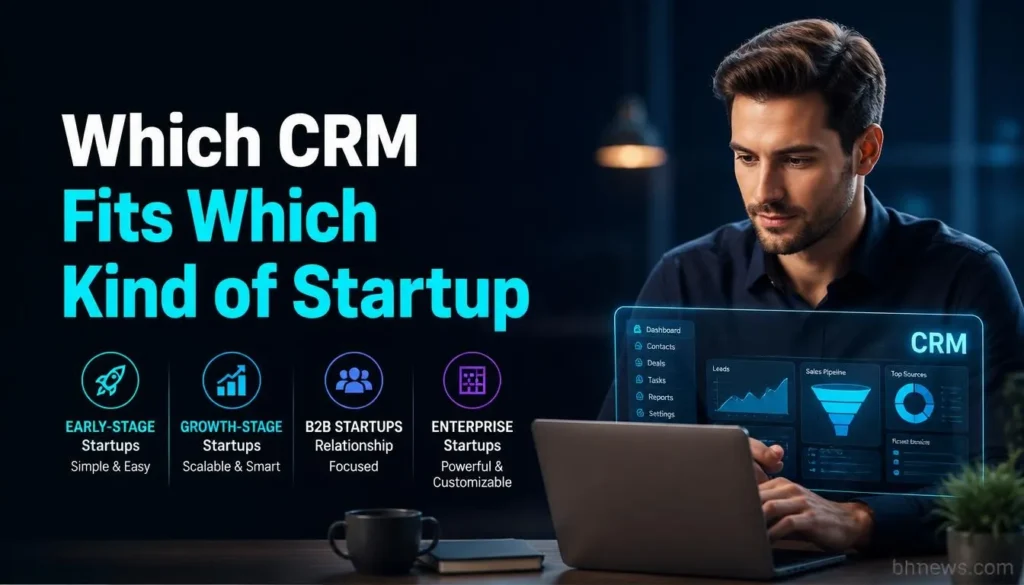
You can’t just rank CRMs without context; founders closing big enterprise deals by hand want completely different tools from those running rapid-fire self-serve sign-ups. How you sell shapes the “best” CRM for you.
| Your situation | Good starting points | Why |
| Founder-led sales, no sales ops | HubSpot free, Pipedrive, Less Annoying CRM | Quick setup and clear pipelines without an admin |
| Selling mostly by phone and email outreach | Close | Built around calling and sequences; costs rise with the dialer plans |
| Product-led, want custom data models | Attio | Flexible data objects; free for three seats |
| Everyone lives in Gmail | Streak, Copper | Work inside Google tools; both are paid |
| Tight budget, willing to configure | Zoho CRM, Freshsales | Low entry prices and free plans for up to three users |
| Expect to sell to large enterprises later | Salesforce Starter Suite | Familiar to future sales hires; one reviewer says it fits only teams sure they will grow into enterprise sales |
| Sales and delivery handled by the same people | monday CRM, Insightly | Visual boards and project features sit next to the pipeline |
Dupple’s early-stage CRM guide offers a smart filter: pick based on your sales approach and how fast you’ll add teammates. With every new head, per-seat pricing and switching later all get trickier.
The Free Best CRM Tools For Startups, and What the Limits Really Are
Here are the free-plan limits as reported:
- HubSpot: HubSpot’s free CRM does not expire. A September 2026 review says it tops out at two users and 1,000 contacts, which matches reports for accounts created after September 2024. Older guides still say 1,000,000 contacts and unlimited users, so check the current limits on HubSpot’s pricing page. Definitely check the latest limit; they sometimes nudge that number.
- Zoho CRM: Zoho CRM’s still free for up to three users, but storage is tight (10 MB, per Zeeg’s December 2025 report, updated September 2026).
- Freshsales: Freshsales is free for 3 users but excludes workflows, email sequences, AI, and custom reports.
- Attio: Attio offers 3 free seats but limits custom-object options.
- Streak: Streak isn’t a “free CRM” anymore. The free version is really just email tracking and snippets; proper pipelines and records require payment.
- Monday CRM: Monday CRM? No free CRM plan. The standard free plan is for the work-management side, not CRM.
- Insightly: TechRadar says there’s a free plan, but a recent July 2026 pricing page claims it ended back in October 2024. Best to ask sales before relying on it.
In short: If you’re bootstrapping, stick with a free CRM until you have a repeatable sales process. Pay up once a second or third person needs access.
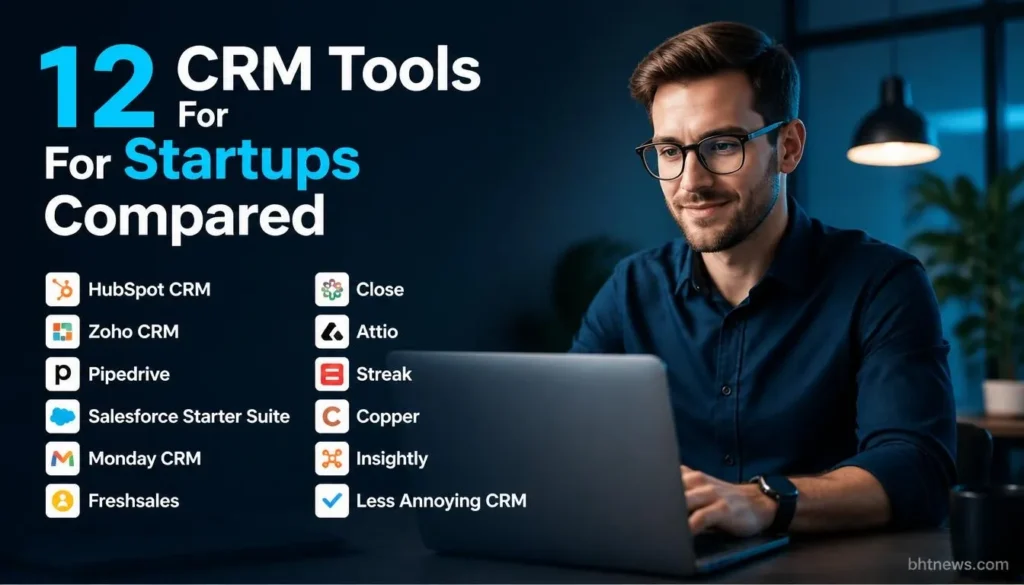
12 CRM Tools For Startups Compared
Prices are per user per month, in US dollars unless noted, billed annually unless noted. They exclude tax and add-ons.
1. HubSpot CRM
Best for founders who want a free start and a clear upgrade path. The free tools include contact management, deal tracking, a shared inbox, and basic reporting, per TechRadar.
- Paid Starter seats list at $20 a month
- With a new-customer promotion of $7 a month on annual billing per a September 2026 review.
- The cost jump is at Professional: $90 to $100 per seat
- For Sales Hub, plus a one-time $1,500 onboarding fee, according to the same review.
- HubSpot’s startup program can cut that sharply (see the discounts section).
2. Zoho CRM
Best for budget-minded teams that will customize.
- Standard is $14 a month billed annually ($20 monthly)
- Professional is $23 ($35 monthly), and there’s a free plan for up to 3 users. TechRadar praises its customization and workflow automation and warns of a steep learning curve and limited support.
- Trial length differs by source (15 days per TechRadar, 30 days per Zeeg), so check the sign-up page.
3. Pipedrive
Best for sales-led teams that want a simple visual pipeline. US prices checked November 2026:
- Lite $14 annual ($19 monthly)
- Growth $24 ($34)
- Premium $49 ($64)
- Ultimate $69 ($89).
There’s a 14-day trial and no free plan. TechRadar notes limited email marketing and no project management. Add-ons such as LeadBooster and Smart Docs cost extra on lower tiers.
4. Salesforce Starter Suite
Best for startups that expect enterprise sales.
- Salesforce’s own page lists $25 per user a month, billed monthly or annually, with a 30-day trial for up to 10 users. It includes lead, account and opportunity management, sales flows with lead routing, email-syncing AI and email marketing.
- Pro Suite is $100 per user a month, annual only.
TechRadar calls the Starter tier deliberately simplified, so test whether your workflow fits before committing.
5. Monday CRM
Best when sales and delivery share a board-based workflow. Prices verified November 2026:
- Basic $12 annual ($18 monthly)
- Standard $17 ($25)
- Pro $28 ($41).
- Seats are sold from a minimum of 3, then in multiples of 5, so four people pay for five.
There’s a 14-day trial and no free CRM plan. For the project-management side, see our guide to cloud-based project management software.
6. Freshsales
Best for cost-conscious teams that want built-in AI scoring later. Annual prices from a 2026 review:
- Free for up to 3 users
- Growth $9
- Pro $39 (adds AI scoring, sequences, and multiple pipelines)
- Enterprise $59.
Monthly billing costs more, estimated at 20 to 30 percent by that reviewer, since the vendor doesn’t publish the monthly rates prominently. The free plan has no workflows or sequences.
7. Close
Best for outbound teams that sell by phone. Annual prices per a September 2026 check:
- Solo $9 (one user, basic calling)
- Essentials $35
- Growth $99 (power dialer)
- Scale $139 (predictive dialer); monthly billing runs about $10 to $14 higher.
Calling minutes are billed on top, and that reviewer estimates $20 to $60 per rep a month for US-only calling, an estimate I couldn’t confirm. Close offers a 14-day trial and a reported 30-day money-back guarantee.
8. Attio
Best for product-led teams that want to shape their own data model. Prices reflecting a July 2026 increase, per a September 2026 article:
- Free for up to 3 seats
- Plus $35 annual ($44 monthly)
- Pro $79 ($99)
- Enterprise custom.
Free plans include usage credits and limited custom objects. It’s newer and more flexible than traditional CRMs, which suits technical teams and takes more thought for non-technical ones.
9. Streak
Best for teams that already run everything in Gmail. Streak lives inside Gmail as a browser extension. Per an August 2026 pricing check:
- Pro $49 annual ($59 monthly)
- Pro+ $69 ($89) with a 14-day trial
- Enterprise $129 ($159) with a 10-user minimum.
The free tier is email tools only. It’s pricier than older write-ups suggest, and the Gmail dependence is the trade-off.
10. Copper
Best for Google Workspace teams that want a standalone CRM.
- A reviewer lists Starter at $9 annual ($12 monthly) for up to 1,000 contacts
- Basic $23 ($29) for 2,500
- Professional $59 ($69) for 15,000
- Business $99 ($134).
Contact caps shape the cost, so estimate your list size first. I couldn’t confirm Copper’s own trial terms.
11. Insightly
Best for teams that want workflow automation and some project tools. A July 2026 pricing page lists:
- Plus $29
- Professional $49
- Enterprise $99, billed annually with a one-year minimum and a 14-day trial.
TechRadar credits it with lead routing, workflow automation and 250-plus integrations, and notes a steeper learning curve. Confirm the free-plan status and the commitment terms directly.
12. Less Annoying CRM
Best for very small teams that want no tiers.
- One plan at $15 per user a month, billed monthly with no long-term contract, plus a 30-day trial, per a page verified in August 2026.
- Everyone gets contacts, pipeline, tasks, calendar, email integration, and reporting.
Automation is minimal, and it has no power dialer, so teams that need sequences or heavy outbound will outgrow it.
What a CRM Really Costs a Small Team

The sticker price is per seat, and the extras sit elsewhere. Four things to check:
- Seat minimums: monday CRM sells seats from 3, then in multiples of 5; Streak Enterprise needs 10 users.
- Annual-only or annual-priced plans: Salesforce Pro Suite is annual only, Insightly asks for a one-year minimum, and many tools charge noticeably more month to month.
- Onboarding fees: HubSpot’s Sales Hub Professional carries a reported $1,500 one-time fee.
- Usage costs: Close bills calling minutes on top of the plan, and several tools meter AI credits.
To compare like for like, the table below multiplies each tool’s lowest paid per-seat price by five seats and twelve months, using the annual-billing figures quoted above.
It’s arithmetic on third-party prices, not a quote, and it excludes tax, add-ons and any promotional pricing.
| Tool and entry paid tier | Per seat per month | Five seats, 12 months | Note |
| Freshsales Growth | $9 | $540 | Free plan covers 3 users |
| Copper Starter | $9 | $540 | 1,000-contact cap |
| monday CRM Basic | $12 | $720 | 5 seats; minimum 3 then multiples of 5 |
| Zoho CRM Standard | $14 | $840 | Free plan covers 3 users |
| Pipedrive Lite | $14 | $840 | No free plan |
| Less Annoying CRM | $15 | $900 | Billed monthly; single plan |
| HubSpot Starter (list) | $20 | $1,200 | Promotional price is lower; some sources list $15 billed annually |
| Salesforce Starter Suite | $25 | $1,500 | Monthly or annual |
| Insightly Plus | $29 | $1,740 | One-year minimum |
| Attio Plus | $35 | $2,100 | Free plan covers 3 seats |
| Close Essentials | $35 | $2,100 | Calling minutes extra |
| Streak Pro | $49 | $2,940 | Free tier has no CRM |
The cheapest row isn’t automatically the best deal. A $9 tier with a contact cap or no automation can cost more in workarounds than a $20 tier that fits.
Startup Discounts: HubSpot and Others
HubSpot is the one vendor in these results with a well-known startup program. According to Resonate (a HubSpot partner), funded startups get serious deals: 90% off year one, 50% off year two, 25% off year three.
Community-backed startups see 30% off year one and 15% off the next. That 90% discount covers pre-seed, seed, and Series A startups that come through an approved accelerator, incubator, VC, or if HubSpot can verify funding.
The deal only applies to Professional and Enterprise plans, not Starter. Details may shift, so always confirm with HubSpot before you bank on a discount. The info I found isn’t timestamped.
Other vendors may offer startup credits through accelerators or partner perks, but I didn’t verify any in this research. Ask your accelerator or investor network before you pay list price.
Do You Need the AI Features?
Nearly every vendor now leads with AI. Salesforce’s pricing page lists AI that syncs emails, events, and contacts in Starter Suite.
HubSpot’s free pages mention AI, and TechRadar describes basic AI writing help on entry tiers. Streak’s pricing sets monthly AI credits per user, and Attio’s free plan includes usage credits.
AI features are popping up everywhere, but treat them as a bonus, not the main reason to pick a CRM, especially in your first year.
What really helps is having contacts stay up to date, a pipeline everybody uses, reliable reminders, and email that syncs itself.
Figure out which AI tools are included at your price point, and which need credit packs or more expensive plans. Most “AI” promises on CRM sites are written by the vendor, not independently verified.
How to Set Up a CRM in One Week
- Jot down the real sales flow from first message to payment in clear steps. Five or six stages is plenty.
- Pin down your non-negotiables: email sync, a shared pipeline, reminders, and any must-haves unique to how you sell.
- Pick two good-fit paid tools and one free CRM to test. Note the real plan limits, not just headlines.
- Import 20–30 actual contacts; don’t use fake sample data. Run a sample deal through your stages.
- Check how easy it is to export your data. You don’t want to be locked in at your first funding round.
- Assign one person to own data quality, then make three basic rules (like “one contact per company,” “every open deal needs a next step,” or “no deals living in spreadsheets”).
- After a month, see if people are actually using it. Most problems come down to fit or habit, not the brand.
Once your pipeline’s rolling, the next big question is where your leads come from. Our small-business digital marketing guide can help there.
Conclusion
So, here’s the bottom line: The best CRM for startups is the one that matches how you work and stays cheap while you figure things out.
Start free if possible, but read the fine print, and move to paid when your team grows. The real key figure on any pricing page? The cost for the number of people you’ll actually have in a year.
What now? Shortlist two tools, load in your own contacts and run a test deal. One week of that reveals more than endless comparison tables. If you need more help with startup software, check out BHTNews. Prices update often. Always confirm costs with the vendor directly before you buy.
Frequently Asked Questions (FAQs)
What’s the best CRM for a startup?
There’s no one-size-fits-all. HubSpot’s free tier is a popular starting point, Pipedrive is easy and paid, and Close is built for phone-heavy outbound. Your sales approach dictates the fit; always check free-plan limits and minimum seats.
Can a startup just use a spreadsheet instead?
Early on, yes. But once more than one person needs to update deals, or you need reliable reminders and email history, spreadsheets start to fail. That’s when switching to a real CRM makes sense.
When’s the right time to buy a paid CRM?
As soon as you need more than one person sharing the pipeline or want automation that the free tiers don’t offer. A rough range for early-stage teams is $0 to $30 per seat a month, based on the prices in this guide.
Is it hard to change CRMs later?
It gets trickier as you pile up more data and workflows. Try to keep data clean, make sure export is straightforward, and avoid building anything mission-critical in features you can’t take with you. Moving early is way easier; waiting is costly.
Does HubSpot’s startup discount cover the free or Starter plan?
No. Per the partner page I checked, it’s only for Professional and Enterprise plans, and only for pre-seed through Series A startups with qualifying backing. Always verify the latest with HubSpot.
Do I need a CRM that works with Gmail or Outlook?
Yes. Email sync saves a ton of hassle. Streak and Copper are built to work right inside Google’s tools; other CRMs here connect to Gmail or Outlook via integrations. Test the sync during your trial to be sure it works for you.