










Trying to figure out the best free AI tools for students in 2026 will make your life easier. Here’s the bottom line: ChatGPT, Google Gemini, NotebookLM, Grammarly, and Perplexity AI lead the pack — and you can use all of them without paying a cent.
Honestly, the AI boom this year is wild. You can finally ditch the $20/month subscriptions for real academic help.
Big-name competition between Google, OpenAI, and Anthropic has forced everyone to offer what used to be premium features for free. We actually tested these tools on real assignments, so you know they deliver.
Table of Contents
Quick Comparison: Top 10 Free AI Tools for Students (2026)
| Tool | Best For | Free Plan | Rating |
| ChatGPT | All-round study help | GPT-4o (daily limits) | ⭐⭐⭐⭐⭐ |
| Google Gemini | Research + Google Workspace | 12 months free (.edu) | ⭐⭐⭐⭐⭐ |
| NotebookLM | Note organization & PDFs | 100 notebooks free | ⭐⭐⭐⭐⭐ |
| Grammarly | Essay writing & grammar | Core features free | ⭐⭐⭐⭐½ |
| Perplexity AI | Cited academic research | 50% edu discount | ⭐⭐⭐⭐½ |
| QuillBot | Paraphrasing & rewriting | Limited free tier | ⭐⭐⭐⭐ |
| Notion AI | Planning & organization | Free for students | ⭐⭐⭐⭐ |
| Gamma AI | Presentations & slides | Limited slides free | ⭐⭐⭐⭐ |
| Otter.ai | Lecture transcription | 300 mins/month free | ⭐⭐⭐⭐ |
| AskCodi | Coding support (CS students) | Core features free | ⭐⭐⭐½ |
Why 2026 Is the Year Students Win with AI
Let’s be real. Most students are barely scraping by as it is. Between sky-high tuition, textbooks, and rent, splurging on a $20/month AI tool isn’t in the cards.
Here’s the good news: you don’t have to.
AI companies are fighting hard to win students over, so now even the free plans are stacked with features. You get:
- Free plans with real power — not just “demos.”
- Bigger student discounts than ever
- A full AI study toolkit without spending a dime
If you’re launching a website or side hustle, check out our guide on link-building strategies for small businesses. Trust me, knowing SEO early on gives you a huge career head start.
The 10 Best Free AI Tools for Students in 2026
1. ChatGPT — The All-Rounder Study Buddy

Honestly, ChatGPT is still unbeatable for sheer versatility. The free version now runs GPT-4o (yep, the premium one from last year!) and handles just about anything most students need. Daily usage limits are generous — you probably won’t hit them.
What’s it good for?
- Breaking down tough ideas in simple terms
- Brainstorming essays and generating outlines
- Creating practice quizzes for any subject
- Debugging code (crucial for CS folks)
- Summarizing huge readings fast
Heads up: Don’t just copy and paste outputs into your assignments. Use it to understand concepts, then write it your way — AI detectors are ruthless now.
Best for: All subjects, all students | Free: GPT-4o with daily cap | Rating: ⭐⭐⭐⭐⭐
2. Google Gemini — Perfect for Research & Google Workspace
Check Google’s student offer at one.google.com/about/google-ai-pro-student with your .edu email to see what’s currently available in your region. That means:
- Gemini 3.1 Pro (Google’s sharpest model)
- Deep Research tools
- NotebookLM Plus
- Full integration with Docs and Slides
- 2TB of storage
If you already use Drive, Docs, or Gmail, Gemini is seamless — it lives right inside your usual apps.
Best for: Research, presentations, Google users | Free: 12 months with .edu | Rating: ⭐⭐⭐⭐⭐
3. Google NotebookLM — Best for Study Notes & PDFs
NotebookLM doesn’t get enough hype. Instead of talking to some general AI that might hallucinate, you upload your class materials — PDFs, lecture notes, whatever — and it answers using just your content. No sidetracks, no random made-up facts.
Highlights:
- Store up to 100 notebooks
- Add 50 sources each (PDFs, docs, sites)
- 500,000 words per notebook
- “Audio Overview”: Your notes become a two-person AI podcast!
Audio Overview alone is a lifesaver if you’re an auditory learner. Mundane notes turn into something you can actually listen to on the bus.
Best for: Revising, research, PDF-heavy subjects | Free: Completely free | Rating: ⭐⭐⭐⭐⭐
4. Grammarly — For Polished Essays
Grammarly is still the go-to for academic writing. Schools usually allow it because it helps clean up your work, not write it for you.
In 2026, it’s even better — Grammarly’s AI can now read tone and style specific to academic essays and research.
What you get:
- Spelling and grammar checks
- Suggestions to boost clarity and flow
- Tone and style guidance
- Browser extension for Docs, email, etc.
Note: Plagiarism checking costs extra. For that, stick with Copyscape or your school’s tool.
Best for: Essays, reports, applications | Free: Core features | Rating: ⭐⭐⭐⭐½
5. Perplexity AI — For Properly Sourced Research
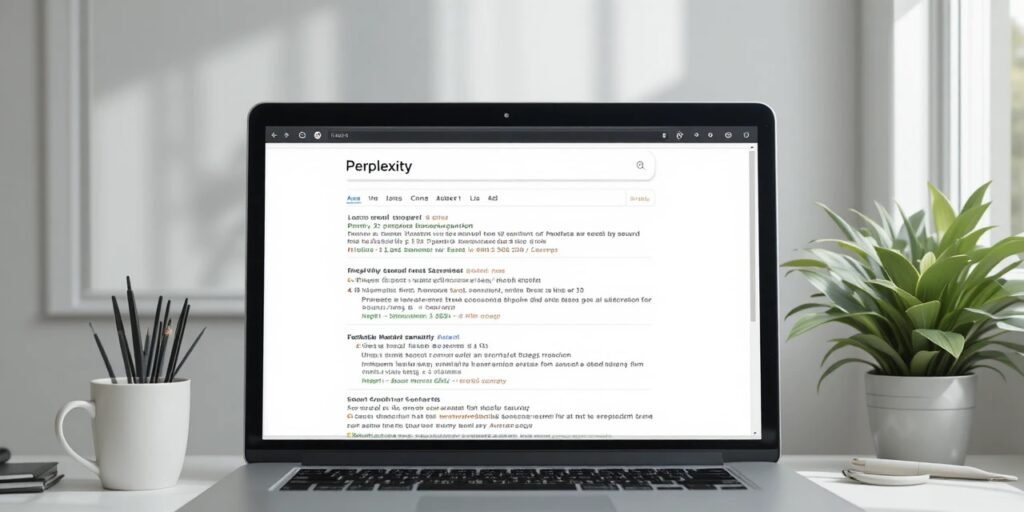
Perplexity feels like what Google Search should be. Ask, and it serves up answers with citations you can actually use — no need to dig through endless tabs.
New this year: “Study Mode” (interactive flashcards) and an Academic Mode that focuses on peer-reviewed sources.
Free plan perks:
- AI answers with direct sources
- Academic mode (peer-reviewed only)
- Solid daily search cap
- 50% education discount if you ever go Pro
Working on a business project? Pair Perplexity with industry updates from bhtnews.com’s tech section to level up your research.
Best for: Sourced research, fact-checking | Free: Generous limit | Rating: ⭐⭐⭐⭐½
6. QuillBot — The King of Paraphrasing
QuillBot is perfect if you’re trying to rephrase research or clarify dense writing. Whenever you need to summarize sources without losing their point, use QuillBot.
In 2026, its context detection is smarter, and you can cite sources more easily.
Uses:
- Paraphrasing dense readings in simple English
- Rewriting unclear sections for better flow
- Fixing grammar on the fly
Just a heads-up: double-check its output on complicated topics — it sometimes oversimplifies.
Best for: Paraphrasing, editing | Free: Limited words | Rating: ⭐⭐⭐⭐
7. Notion AI — For Getting Organized
Overwhelmed by scattered notes and endless to-dos? Notion AI has you covered. It mixes AI note-taking, a to-do manager, and a research database all in one spot.
Why it’s awesome now:
- Summarizes your notes automatically
- Smart deadline and group task suggestions
- Powerful database features for tracking projects
- Free student plans
Best for: Staying organized, managing projects | Free: Yes, for students | Rating: ⭐⭐⭐⭐
8. Gamma AI — Build Presentations Fast
Staring at a blank slide deck at midnight? Gamma AI builds sharp, structured presentations in no time. Just type your topic, and you get slides, visuals, speaker notes — the works.
This year, design features leveled up, and you can export to PowerPoint or Google Slides.
Perfect for:
- Last-minute presentations and group work
- Quick research recaps
- Professional design without much know-how
Best for: Slides, presentations, group projects | Free: Some slide limits | Rating: ⭐⭐⭐⭐
9. Otter.ai — Never Miss a Lecture Again
Struggle to keep up in class? Otter.ai listens, transcribes, and summarizes lectures or meetings in real time. Instead of scribbling notes frantically, just focus.
Free plan:
- 300 minutes/month
- Up to 30 minutes per session
- Can auto-join Zoom, Teams, and Meet
- AI chat to ask questions about your notes
Best for: Lectures, study groups, online classes | Free: 300 mins/month | Rating: ⭐⭐⭐⭐
10. AskCodi — For Programming & Debugging
For computer science majors, AskCodi is a game-changer. It explains code, tracks down bugs, and clarifies programming logic — like having a virtual teaching assistant.
What’s new this year?
- Smarter, step-by-step code breakdowns
- Better at spotting logic errors, not just syntax mistakes
Supports: Python, JavaScript, C++, Java, and more.
Best for: Coding projects, debugging | Free: Core tools | Rating: ⭐⭐⭐½
How to Use These Tools in a Smart Workflow
No app does it all. Here’s a winning system:
- Start with research (Perplexity)
- Organize notes and readings (NotebookLM)
- Outline/draft (ChatGPT or Gemini)
- Run your writing through Grammarly and QuillBot for polish
- Build a one-click presentation (Gamma AI)
This toolkit covers you from research all the way to presenting — without paying a thing.
Want to Stay in the Loop with Tech & AI?
Check out bhtnews.com for more tech guides, career tips, and the latest on how AI is shaping the future. Dive into our Technology section for top trends, or peek at the Business section for career insights and how students can get ahead in 2026.
Final Thoughts
Finding great free AI tools for students in 2026 shouldn’t feel like searching for buried treasure, but most lists out there are just fluff. Here’s what actually matters:
- Start with ChatGPT and NotebookLM — they handle almost everything you need, and they’re free.
- If you’re big on Google Workspace, throw Gemini into the mix.
- Always run your writing through Grammarly. Seriously, every single thing.
- Swap between tools so you don’t run into annoying daily limits.
- Most important: make sure your final work sounds like you, not some robot.
AI can’t earn your degree for you. What it does best is free up your time, so you can really learn—and let’s be honest, that’s the reason you’re here.
If this guide saved you time or money, pass it along to a friend who’s still throwing cash at useless subscriptions. And if you want more hands-on tech advice, check out bhtnews.com.
Frequently Asked Questions (FAQs)
Are free AI tools good enough for university-level work?
Yes — in 2026, free tiers from ChatGPT, Gemini, and NotebookLM are genuinely powerful enough for most undergraduate and even some postgraduate coursework. The key is knowing which tool to use for which task.
Is using AI tools considered cheating at university?
It depends on your institution’s policy. Most universities in 2026 permit AI for research assistance, grammar improvement, and brainstorming. They typically restrict using AI to write entire assignments or essays. Always check your institution’s academic integrity guidelines before using any AI tool for graded work.
Which AI tool is best for writing essays?
Grammarly is the safest choice because it’s classified as assistive AI (it improves your existing writing rather than generating it). For brainstorming and outlining, ChatGPT and Claude are excellent — just make sure you write the final essay yourself.
Can AI tools help with STEM subjects like math and coding?
Absolutely. AskCodi is purpose-built for coding students. For mathematics, tools like Wolfram Alpha (free) and ChatGPT’s code interpreter can work through equations step by step. The key value isn’t just getting the answer — it’s understanding the method.
Are these AI tools safe to use? Do they store my data?
Most major platforms (ChatGPT, Gemini, Grammarly) have clear privacy policies and offer options to opt out of data training. Avoid pasting sensitive personal information — like your student ID, health data, or private communications — into any AI chatbot.
What is the best free AI tool for presentations?
Gamma AI is the top pick for presentations in 2026. It generates complete, professionally designed slide decks from a simple text prompt. Canva also offers 20 free AI-generated images per day and strong presentation templates — great for visual projects.
Do I need to pay for any of these tools?
No — all 10 tools on this list have functional free tiers. If you want to upgrade later, Perplexity AI’s education plan ($10/month, 50% off) and Grammarly’s plagiarism checker are the two most worth paying for once your workload gets heavy.
How do I avoid getting flagged by AI detectors?
Use AI to research, outline, and understand — then write in your own voice. Avoid copying AI-generated text directly. Read the AI’s output, close the tab, and write what you understood in your own words. This produces better work and eliminates detection risk.