




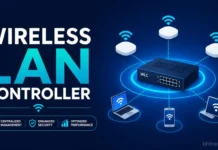

A wireless LAN controller (WLC) lets you manage, secure, and monitor lots of Wi-Fi access points from a single spot. Once you have more than a handful of access points or if you want good roaming and consistent security, a controller (or its cloud-managed cousin) starts to feel essential. In very small setups with only a few APs, you can usually get by without one.
The name “wireless LAN controller” is older than today’s options. Ten years back, it meant a big rack-mounted box.
Now, it can be a physical appliance, a piece of software on a server, a feature inside a switch or AP, or just a dashboard on the web.
Let’s break down what controllers actually do, how they talk to access points, where each model has limits, and how to pick the right style for your network.
Table of Contents
What Does a Wireless LAN Controller Actually Do?
Without a controller, you’re stuck configuring each access point on its own, tweaking settings, updating firmware, juggling channels, managing passwords.
Fine when there are two, but a nightmare with twenty. A controller pulls all that management into one place and keeps your radios in sync.
- Configuration: Broadcast SSIDs, assign VLANs, set security policies, and push firmware to every AP at once.
- Radio management: Adjust signal strength and channels to avoid interference, and fill coverage gaps when an AP fails.
- Roaming: Help clients hop between APs without dropping their connection.
- Security: Enforce authentication (like 802.1X), track down rogue APs, and apply policies per user.
- Visibility: Monitor everything from one dashboard: status, client counts, traffic.
These functions are well established. Claims about “better security” or “less downtime” usually come without hard numbers, but the convenience is obvious once you reach scale.
What Does the AP Still Do?
Controllers don’t replace APs; they split the work. The standard CAPWAP protocol (RFC 5415) defines two main styles.
In “split MAC,” the AP sends wireless frames to the controller for most processing. In “local MAC,” the AP handles more on its own and sends only some data back to the controller.
Vendors often tweak this, like Cisco’s FlexConnect, so double-check how your chosen setup actually handles switching.
Why does this matter? If all your network traffic runs through the controller, its performance and reliability become critical.
If APs keep switching traffic locally, you’re better off when the controller or network goes down.
How Do Controllers and APs Actually Communicate?
The protocol is CAPWAP (Control and Provisioning of Wireless Access Points), an IETF standard that splits its traffic into control and data channels over UDP, usually with DTLS securing control traffic.
CAPWAP replaced Cisco’s proprietary LWAPP, now a legacy technology. A few features, like fast roaming or fine-grained policy control, still depend on the vendor, so mixing brands often causes problems.
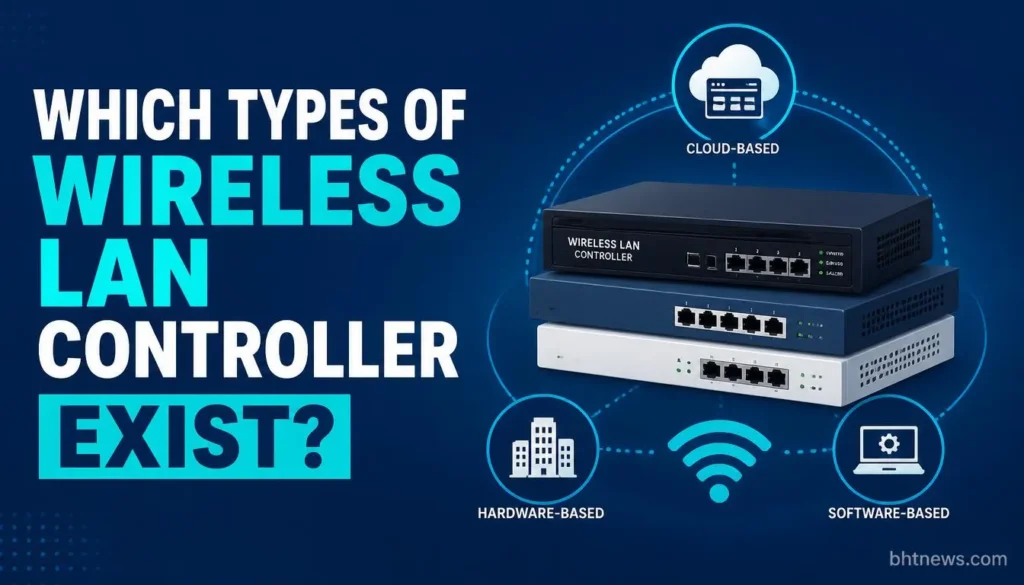
Which Types of Wireless LAN Controllers Exist?
| Model | What It Is | Strengths | Watch Out For |
| Hardware Appliance | Physical controller in a rack or data center | Strong control, works offline from the internet, large scale | Upfront cost, capacity limits, lifecycle replacement |
| Virtual Controller | Controller software on a VM or public/private cloud | Flexible capacity, no appliance | You run and patch it; depends on the host platform |
| Embedded Controller | Built into a switch or an AP | No extra box for small or branch sites | Scale limits; ties you to that hardware |
| Cloud-Managed | Management in a vendor’s SaaS dashboard; traffic usually stays local | Multi-site management, no controller to host | Depends on the vendor’s cloud; subscription; see outage behavior below |
| Controllerless | APs coordinate without a central controller | Cheap and simple | Limited scale, roaming and policy features |
These categories reflect how vendors describe their products, and the naming conventions differ by vendor.
For example, HPE Aruba says its Central platform supports cloud, on-premises, as-a-service and virtual private cloud management, and Juniper describes its on-premises Mist Edge as working without a legacy wireless controller.
How Big Can a WLC Go? (Cisco Example)
Cisco’s Catalyst 9800 series pushes the upper limits: the big CW9800H1/H2 handle up to 6,000 APs and 64,000 clients each.
Smaller models and the software-only 9800-CL offer different limits down to 250 APs on the 9800-L, or up to 6,000 on the virtual option.
Take these as max numbers; the real-world ceiling depends on features, software versions, and network traffic.
For older Cisco AireOS controllers, Cisco announced end-of-sale starting in 2021 and pointed customers to the Catalyst line. If you’re still running the old gear, check your model’s end-of-sale and end-of-support notices.
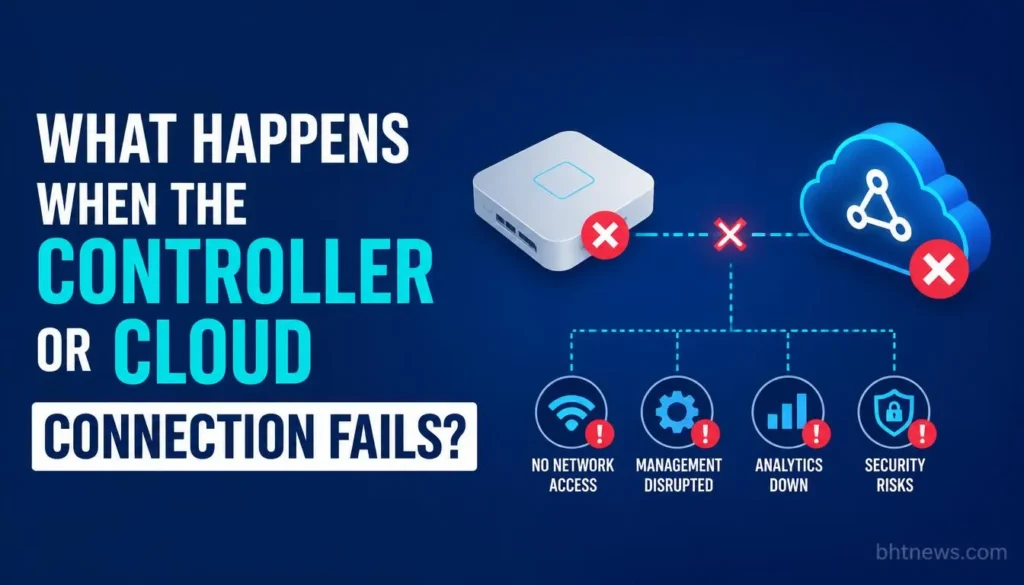
What Happens When the Controller or Cloud Connection Fails?
This is the question most articles skip, and the answer varies by product. Documentation from two vendors shows the range:
| System | Per Vendor Documentation | Takeaway |
| Meraki (Cloud-Managed) | The cloud is out of band, so client data doesn’t flow through it. Clients keep using the WLAN. Configuration changes won’t take effect while disconnected. New-client authentication follows the “Restricted” or “Open” setting. Wi-Fi 6/6E/7 APs on firmware 28.1 or later reboot after 8 hours without Dashboard connectivity. | Existing traffic survives, but management and new-client behavior degrade, and a long outage eventually forces reboots on newer APs. |
| UniFi | Adopted devices such as APs and switches keep functioning with the controller offline, though Ubiquiti strongly recommends keeping it running for statistics and configuration changes. | Day-to-day traffic continues; you lose management and visibility. |
| Controller-Based (General) | Behavior depends on the mode. With split MAC, traffic passes through the controller; with local switching, APs can bridge locally. | Check the vendor’s documented offline behavior and design redundancy accordingly. |
Whatever you choose, test it: unplug the controller or WAN link in a maintenance window and see what clients experience.
Sizing, Redundancy, and Lifecycle
- Plan for busy days, not averages. A common rule of thumb is to leave about 30% headroom over peak client counts; check your vendor’s sizing guide. Your worst day is the one you need to handle.
- Build in redundancy. A spare controller or high-availability setup is the usual way to keep the network up if a box fails.
- Expect regular upgrades. Hardware refresh cycles of five to seven years are common, but check the end-of-life dates for your specific models.
- Licensing can get complex, especially with Cisco, where you’re tied to subscriptions and support packages. Get a full picture of costs and renewal cycles.
A practical example: a 3-floor office with 40 APs, 600 peak staff devices, plus guest Wi-Fi. Managing that many access points by hand isn’t realistic, and you need solid roaming, so a controller (cloud or on-prem) is the practical choice. Now think of a coffee shop with just 5 APs; a big controller would be overkill.
Do You Still Need a WLC?
The question isn’t “should I have controller features?” You will, one way or another. The real question is where those functions live. Even cloud-managed Wi-Fi puts the controller in the cloud instead of a back room.
Here’s how to decide:
- Four or five APs (or fewer), and no IT team: You probably don’t need a dedicated controller. Use embedded or controllerless APs.
- Lots of APs and in-house IT: A hardware or virtual controller keeps you in control and doesn’t require the internet to operate.
- Many small, scattered sites: Cloud-managed is simpler. You just need to be OK with the cloud dependency (and subscriptions).
- Strict privacy needs or offline requirements: Go with on-premises, and check carefully what data leaves your site.
- Mixing vendors: Avoid this if you want advanced controller features to work reliably; stick with one brand.
Checklist Before Buying or Migrating
- Count how many APs you have now and project for three years. Note the busiest client totals.
- Decide: Should APs switch traffic locally, or send everything through a central spot?
- Make a must-have list for what should keep running if the controller or internet goes down; get the vendor to confirm.
- Confirm authentication needs (like 802.1X, RADIUS, or guest portals) and make sure they tie into your existing systems.
- Get a full-price breakdown: hardware, per-AP or per-user licenses, support, renewals, the works.
- Triple-check when your candidate models go end-of-sale and end-of-support.
- Run a pilot with a few APs and simulate failures before deploying everywhere.
Conclusion
A WLC isn’t just a box anymore; it’s a central function: one place for settings, radio and roaming coordination, and policy control. Where you put that function (rack, VM, switch, or cloud) matters, along with what will break if it stops working.
Next step: Write down your AP count, max concurrent clients, and which functions must survive an outage. Ask each vendor you’re considering to put in writing what happens in those scenarios before you start comparing prices.
Disclosure: This is general info, not a design or purchase recommendation. Vendors change specs and end support from time to time, so verify details on their documentation before you buy. bhtnews.com has no affiliate relationship with the vendors named here.
Frequently Asked Questions
What’s the difference between a WLC and an access point?
An access point handles the radio link to your Wi-Fi devices. The WLC manages multiple APs, setting their configs and coordinating things like roaming. In “split-MAC” systems, the controller even handles much of the wireless processing.
Is a wireless LAN controller a router?
No. Routers connect different networks (like linking your LAN to the internet). WLCs manage access points. They sometimes connect to routers, but they do very different jobs.
How many access points before a controller makes sense?
There’s no hard line, but if you’re over four or five APs or have more complex needs (guest access, central security, concentrated roaming), a controller helps. If you’re smaller and simpler, direct management works fine.
Do cloud-managed APs need a controller?
They need central management, but the “controller” lives in the vendor’s cloud. What fails during a cloud outage varies; for example, Meraki lets current clients keep working but doesn’t allow configuration changes.
What is CAPWAP?
CAPWAP is the standard protocol (RFC 5415) for controllers managing APs. It splits control and data traffic, with optional security, and replaces Cisco’s now-obsolete LWAPP.
Can a controller be virtual instead of physical?
Yes. Many vendors offer controller software for VMs or in the cloud. Cisco’s Catalyst 9800-CL, as one example, runs in software and is listed at up to 6,000 APs, in line with the largest hardware models. You’re responsible for the underlying server and updates.
What happens to Wi-Fi if the controller fails?
It depends. On UniFi setups, for example, APs keep running, but you lose stats and config changes until the controller comes back. If you’re running “central switching,” losing the controller can stop traffic; always test your scenarios.